
Run your whole skip hire day from one place
When bookings, the board, transfer notes and invoices all live in different places, someone spends the day copying between them. SkipM8 was built for skip hire first, and keeps bookings, dispatch, the driver app, DEFRA records and invoices in one system.
Weights, photos and signatures land in the office as your drivers record them, so there's less chasing and less typing up at the end of the day.
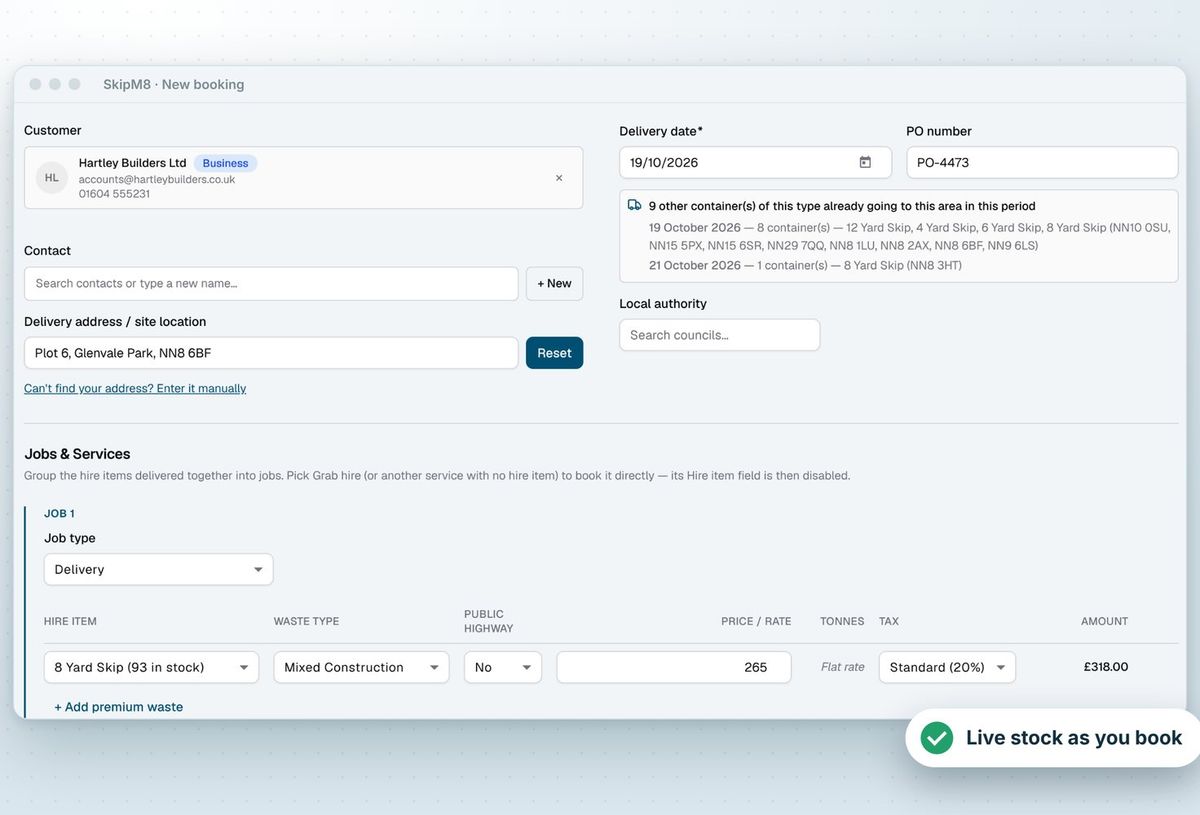
Book the skip before the customer hangs up
- Pick the customer, address and skip, and see how many of that size are left in the yard before you promise one.
- Quote with confidence from your own price lists, customer prices and pricing zones you draw on a map.
- Choose the council's permit type, such as 7 or 28 days, and its fee goes straight on the booking.
- Charge for surcharges and extras like mattresses or tyres on their own lines, so nothing gets forgotten.
- On Grow and above, see how much of a credit customer's limit is used before you confirm.
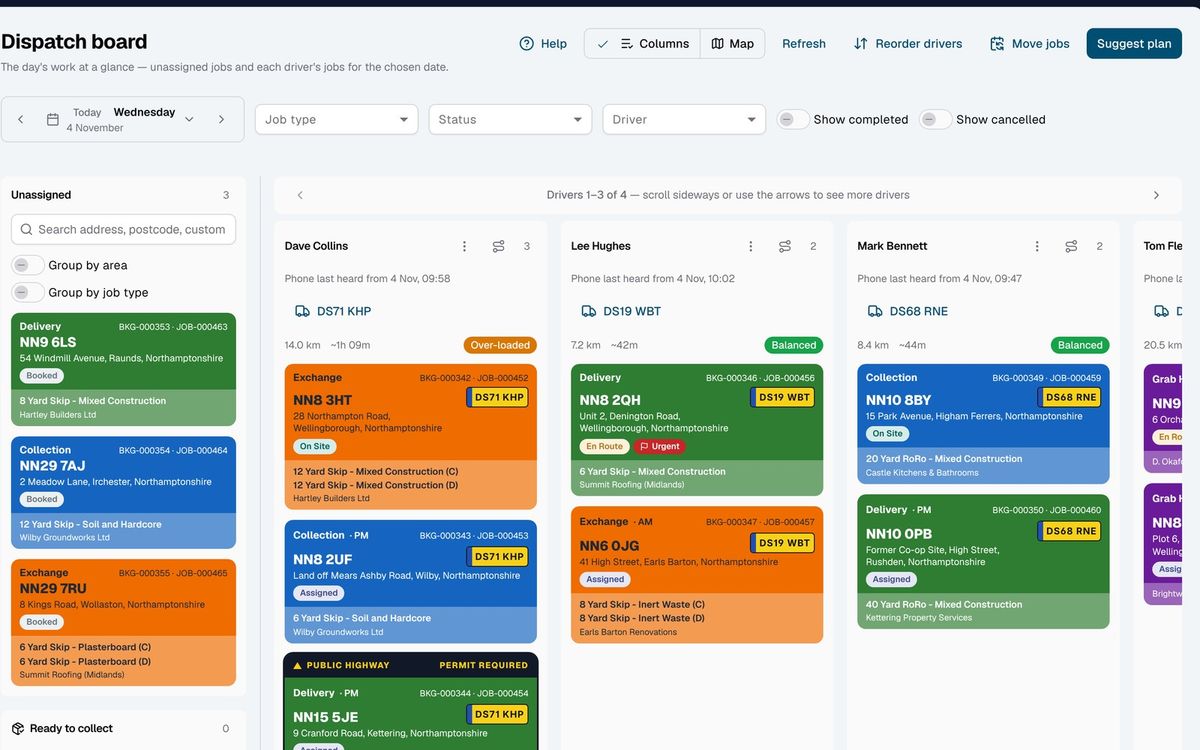
Keep every skip moving from drop to tip
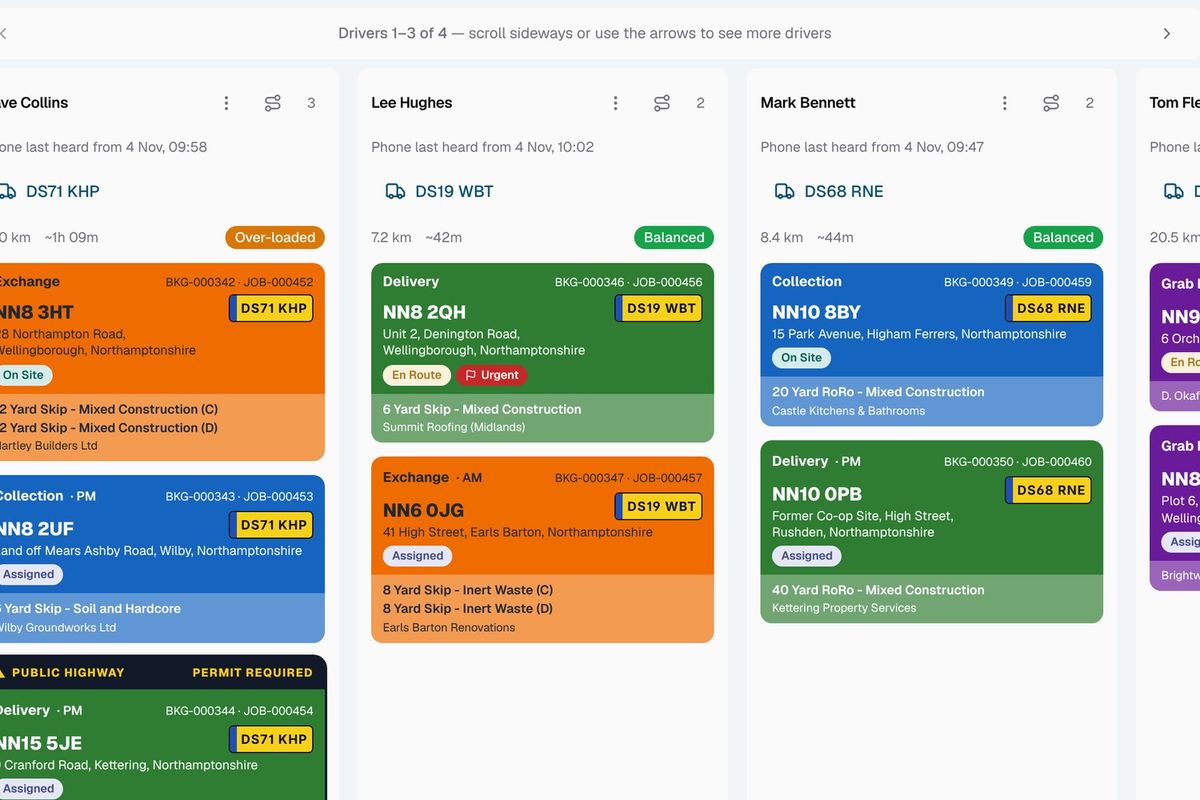
Book deliveries, exchanges, wait and loads and collections. When a customer rings to say it's full, mark it ready to collect and get back to the call. The dispatcher sees it waiting, with no need to pick a day there and then.
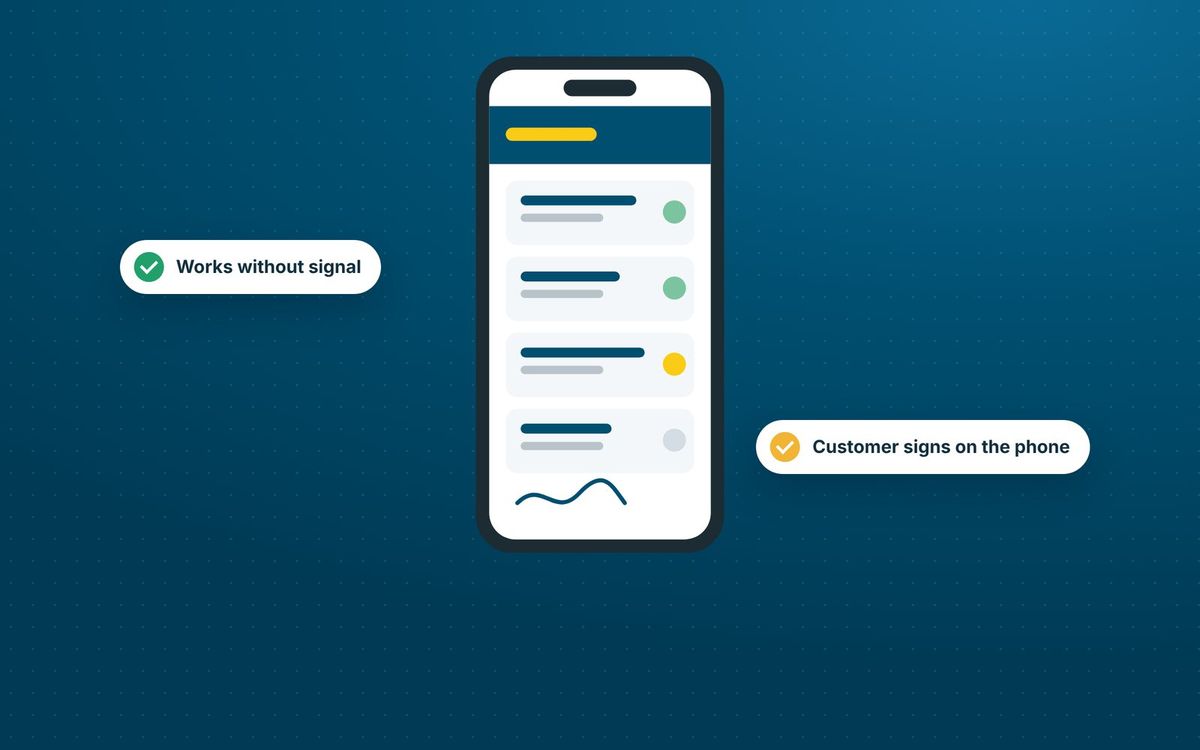
Your drivers follow each job step by step in the SkipM8 driver app, recording weights, taking a photo and getting the customer's signature. No signal? The app holds their updates and sends them once it reconnects.
If the skip holds something different from the booking, drivers can correct the waste type and report extras like a mattress on top. The office decides what to charge, so nothing slips through unbilled.
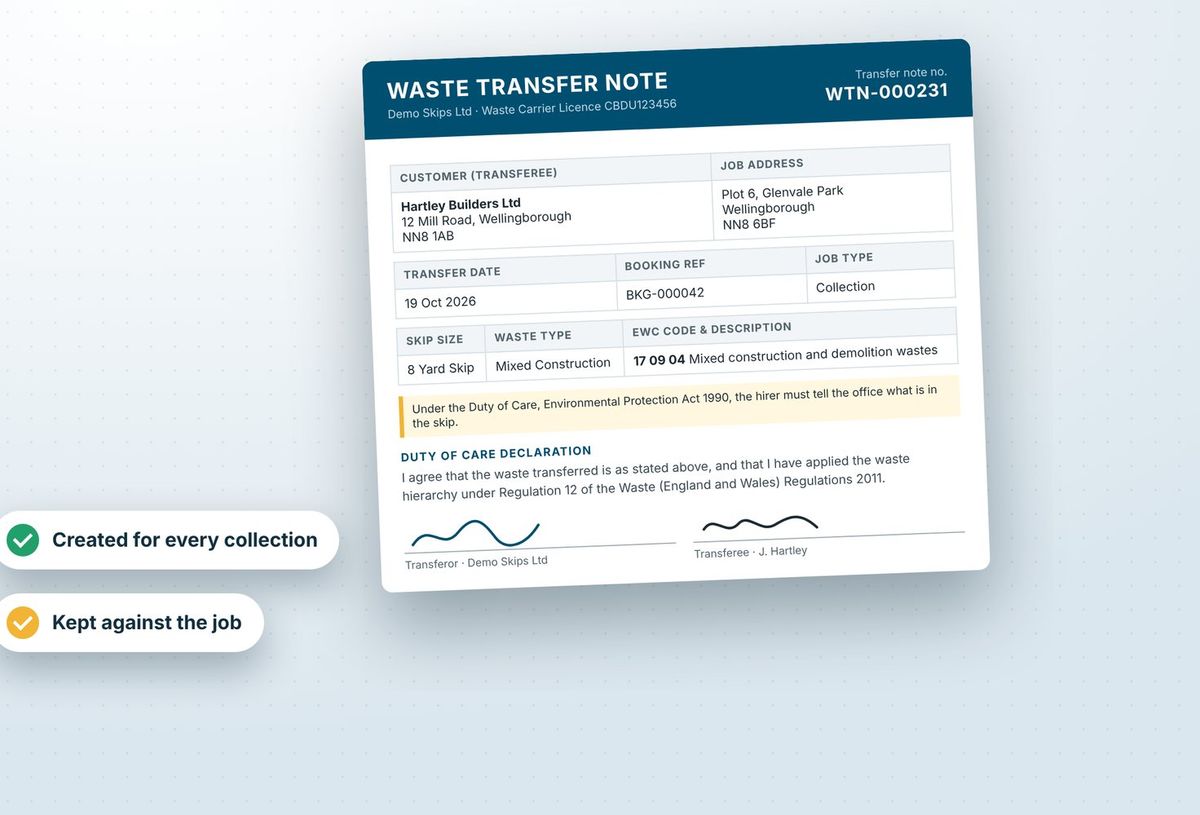
Stop paperwork falling behind the work
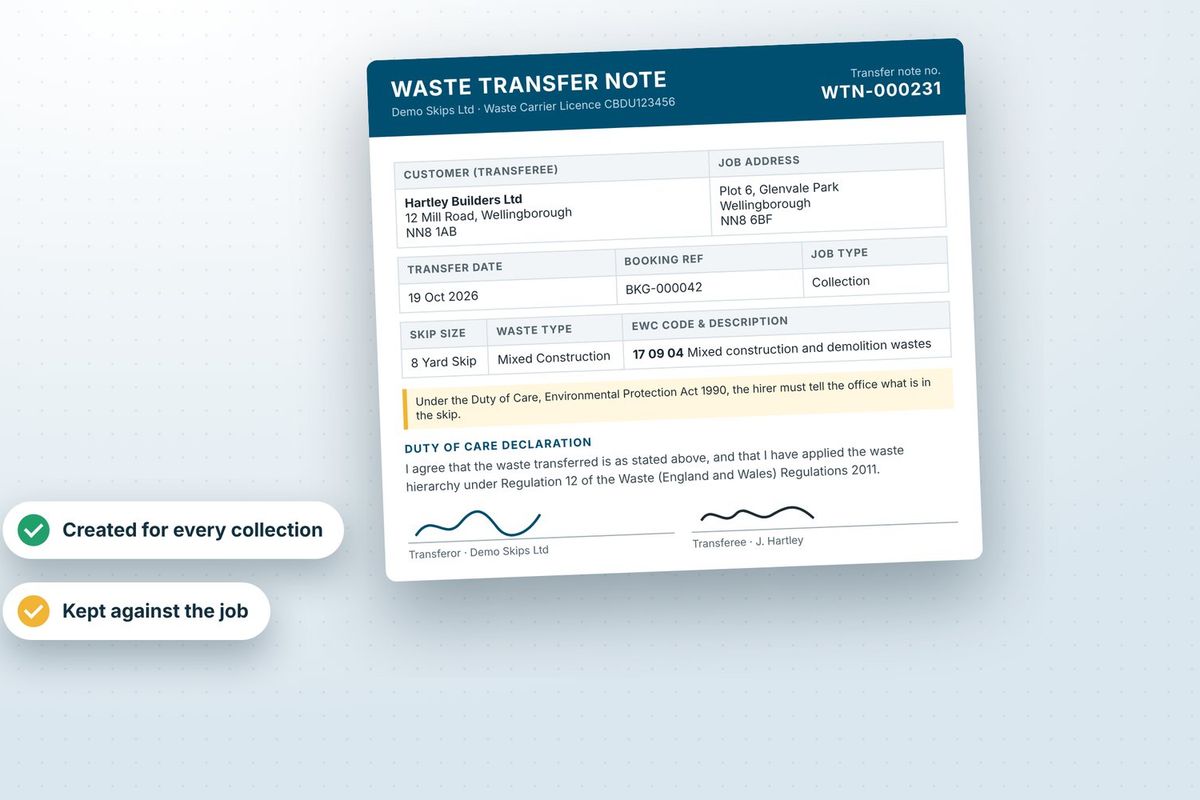
- Print a waste transfer note as soon as a collection is booked.
- Swap it for the signed copy at collection, emailed to the customer for you.
- Have waste received at your site recorded for DEFRA's Digital Waste Tracking Service.
- Bill per-tonne skips from the recorded weight, without working it out by hand.
- On Grow and above, give weekly and monthly account customers one running invoice for the period.
A skip from booking to invoice
- Take the booking with the skip, delivery address, waste type and any permit.
- Assign the delivery to a driver on the dispatch board, and they drop the skip and record it in the driver app.
- When the customer says it is full, mark it ready to collect and book the exchange or collection when it fits a run.
- At collection the driver takes the customer's signature, and the signed waste transfer note can be emailed to them.
- The load is weighed and broken down at your depot, any per-tonne charge reaches the invoice, and the receipt is recorded for DEFRA.
Related features
Our growing customer base
Skip hire and waste businesses across the UK run their bookings, dispatch and paperwork on SkipM8.





Skip hire questions
We already have skips out on hire. How do we get them into SkipM8?
You can record skips that are already on customer sites in one go. They show as on hire straight away, without sending a driver out or charging the customer again.
Can we charge more in some areas?
Yes. Draw pricing zones on the map, either by outline or as a radius in miles, and give each zone its own prices.
Do drivers need signal to use the app?
No. Drivers load their day while they have signal and can carry on through every step without it. Their updates are sent in order when signal returns.
Can we change a skip size after delivery?
Yes. You can change the skip on a hire at any point, and choose whether to keep the price or take the new size's price.
See SkipM8 in action
Book a demo and we'll walk you through it with jobs like yours, or start on the free Solo plan today.