
Plan the whole day without a whiteboard
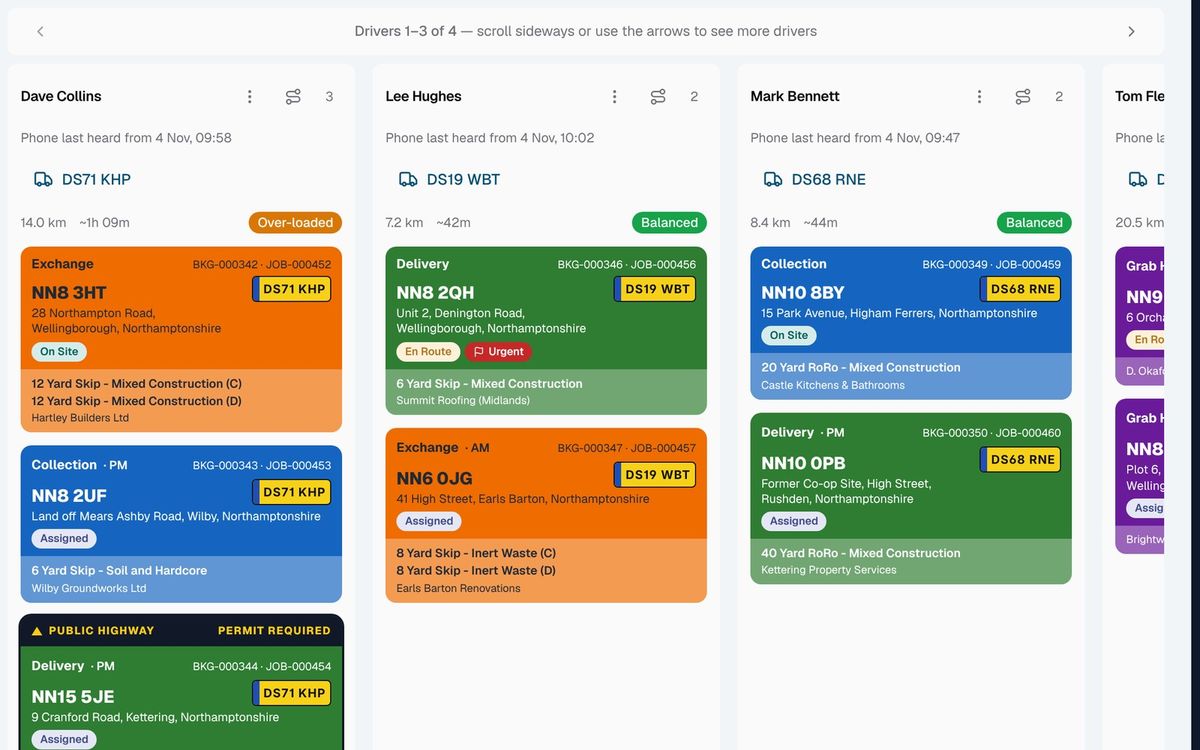
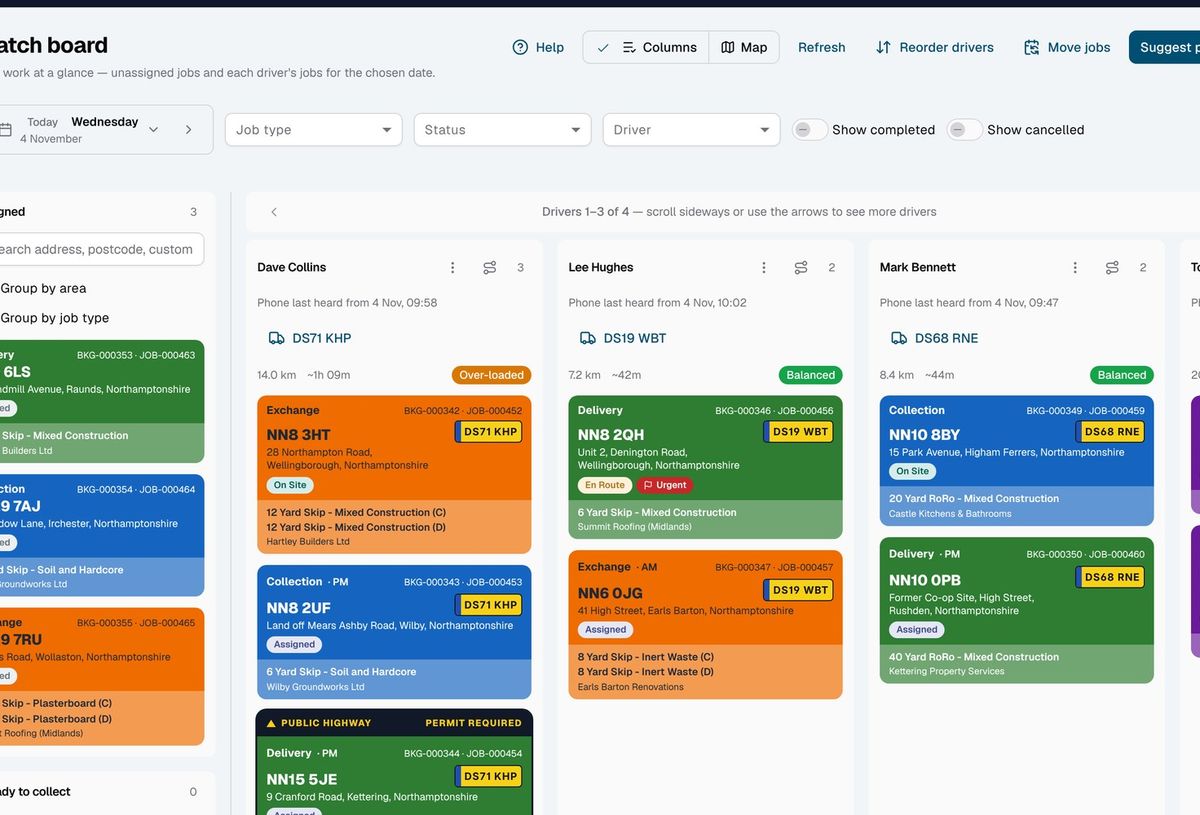
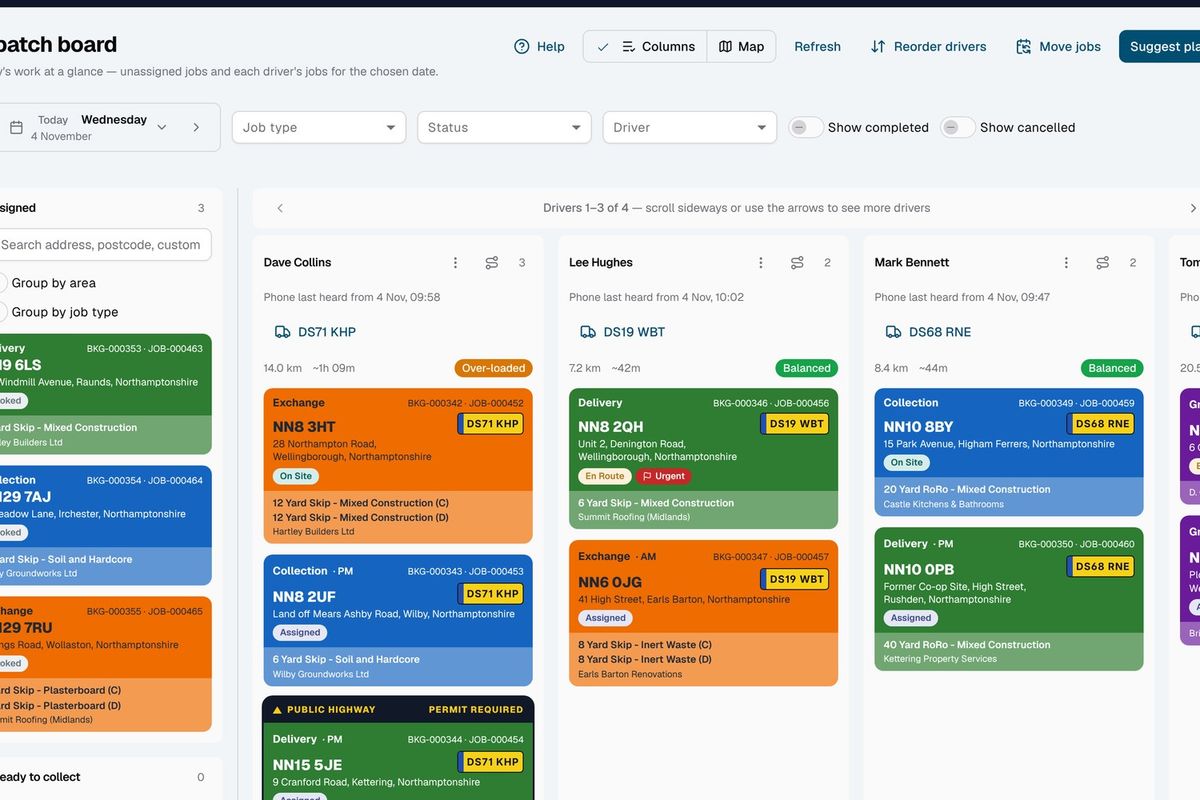
Whiteboards get messy fast. On the dispatch board, the day's unassigned jobs sit on the left and each driver has a column. Drag a job onto a driver to give it to them, then up or down to set their run order.
Pick the lorry each driver's taking that day and every job you give them goes out on it. Lorry breaks down mid-morning? Change it once and the driver's remaining jobs move to the new vehicle.
Find any job fast: filter by job type, status or driver, and search unassigned jobs by address, postcode, customer or booking reference.
Start from a suggested plan, not a blank board
SkipM8 can suggest how to spread the work. You stay in charge: nothing changes until you confirm it.
- Ask for a full day plan across the drivers and job types you choose, then tweak it before you confirm.
- Avoid zig-zag runs: order a driver's stops efficiently from your depot.
- See who has room, with each driver's stop count, distance and estimated time updating as you move jobs.
- Fill gaps in a run with suggested unassigned jobs close by, added with a click.
- Hand a whole area to one driver by grouping unassigned jobs by area or job type.
- Assign jobs straight from a map of the day when that's easier.
Turn up when you said you would
Most skip work is booked to a day, but a grab lorry booked for 10:30 can't just arrive whenever. Set each job type to ask for an exact time, or one of your own time slots, such as AM or PM.
That time or slot then follows the job everywhere: the dispatch board, the calendar and the driver's phone.
The jobs calendar shows a day or a week at a time, with a count of each job type per day, so you can spot a busy day coming before you take another booking.
How a day comes together
- Bookings and repeat visits from your recurring schedules land on the board as unassigned jobs.
- Skips customers have said are full wait in the ready-to-collect list until you book the collection.
- You assign jobs by dragging them, or by confirming a suggested plan.
- You set each driver's lorry for the day and put their stops in order.
- Drivers see their jobs in the SkipM8 driver app, or you print them a job sheet.
Related features
Our growing customer base
Skip hire and waste businesses across the UK run their bookings, dispatch and paperwork on SkipM8.





Common questions
Can I set up regular work, such as weekly bin empties?
Yes. A recurring schedule creates the jobs for each visit ahead of time, and you can pause, resume, change or end it.
The weather has stopped work. Do I have to move every job by hand?
No. Move all of a day's unfinished jobs to another date in one action from the dispatch board.
Do drivers find out when I assign them a job?
If you switch it on, drivers get a notification on their phone when a job is assigned to them.
What about drivers who don't use a smartphone?
Print each driver a job sheet for the day, with their stops, times and addresses.
See SkipM8 in action
Book a demo and we'll walk you through it with jobs like yours, or start on the free Solo plan today.