
SkipM8

Bill every job without typing it twice

Re-keying jobs into a separate system is how charges get missed. SkipM8 raises the invoice from the booking, with the skip, waste charges, permits and extras already on it.

Bill each customer per job, or weekly or monthly. A weekly or monthly customer has a running invoice that each booking is added to, so you can see what the period's coming to at any time. It's issued when the period ends.

Switch on automatic issuing and invoices are issued and emailed to the customer without anyone pressing a button. Upload your own layout and every invoice uses it.

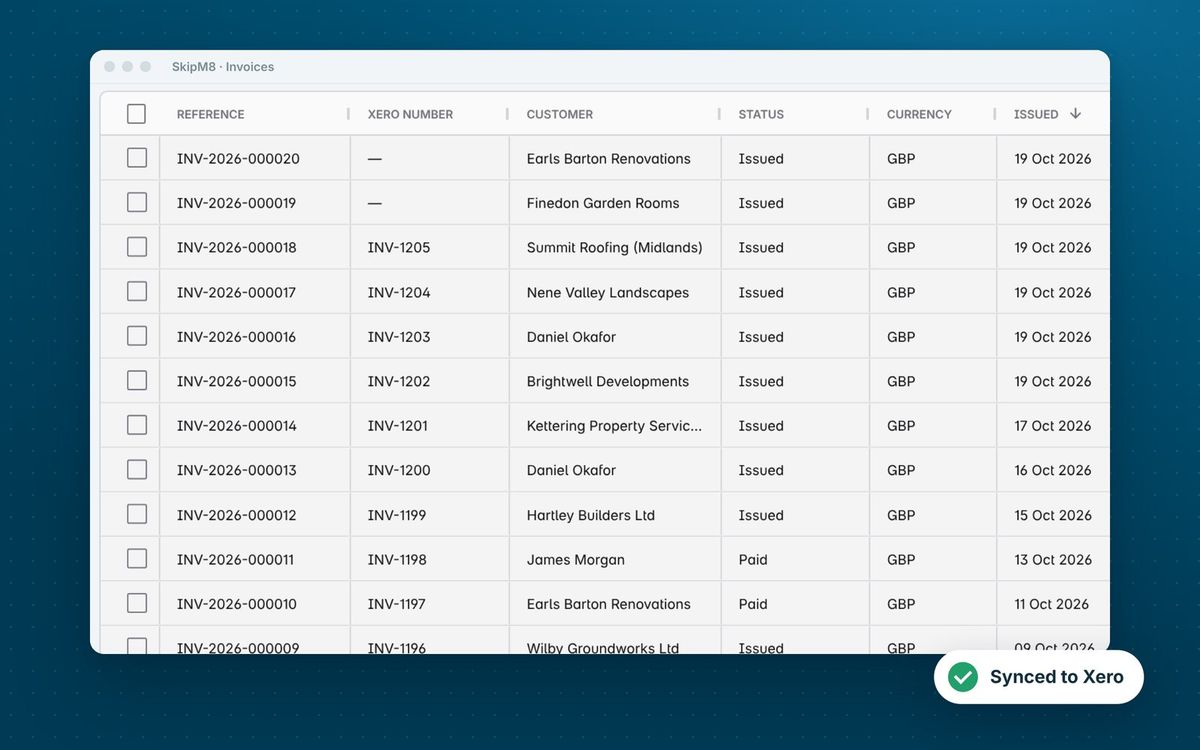
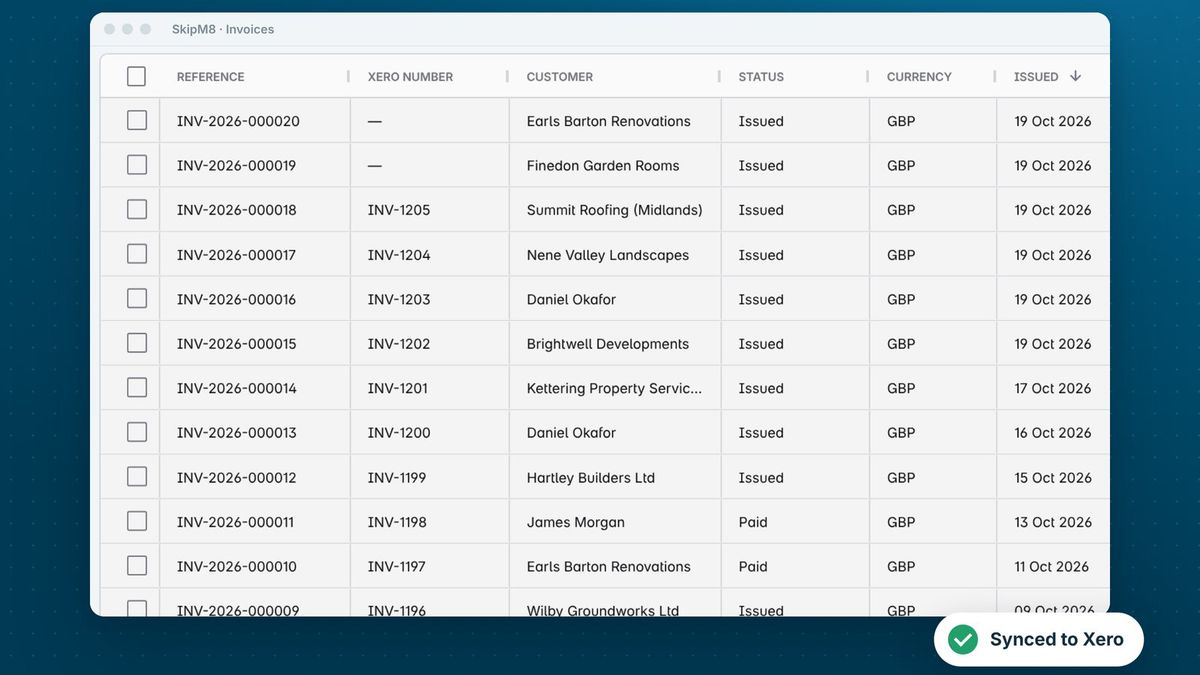
The SkipM8 invoice list showing each invoice with its Xero number

Get paid, and know who still owes you

  • Send a card payment link for one invoice or several, and the payment's recorded when the customer pays.
  • Record payments taken any other way, part payments included.
  • Switch on a thank-you email that sends the customer a copy of the invoice showing it's been paid.
  • On Grow and Pro, check a customer's credit limit, how much is used and how much is left while you're taking their booking.
  • On Grow and Pro, produce a statement for any customer over any period on request.
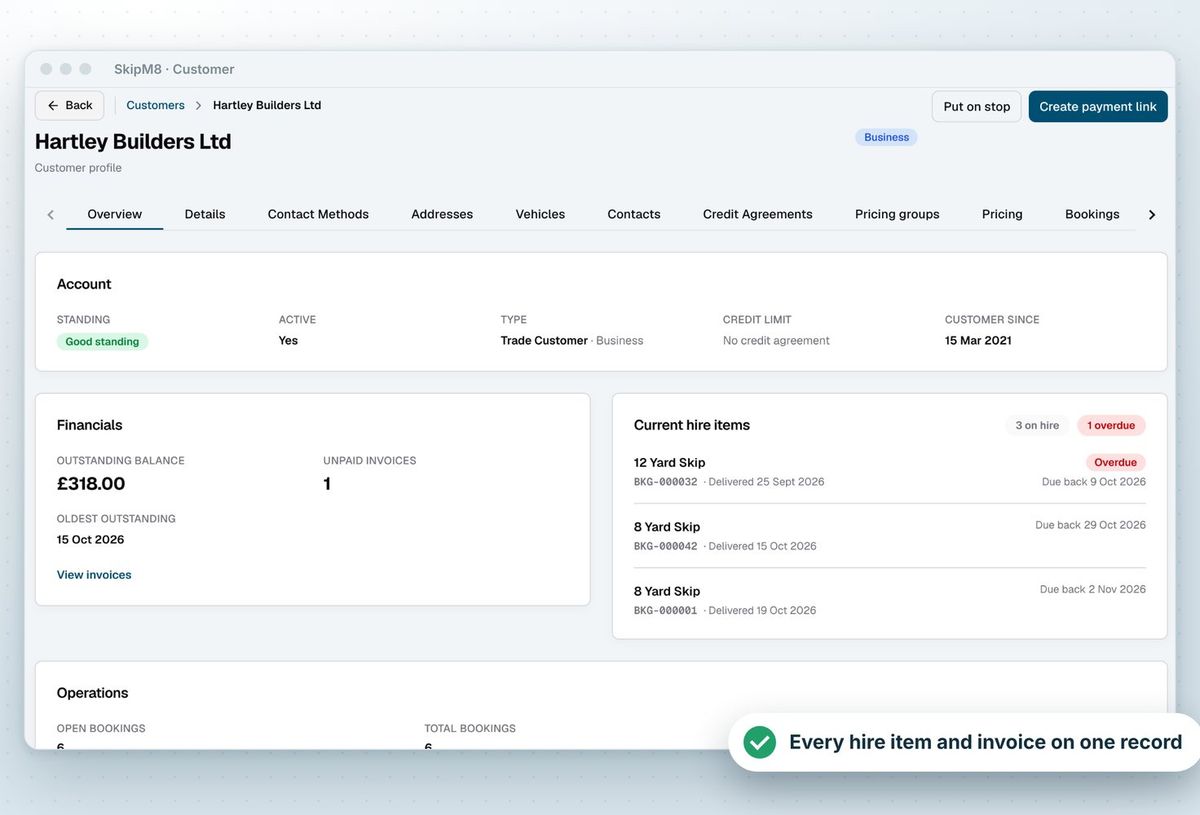
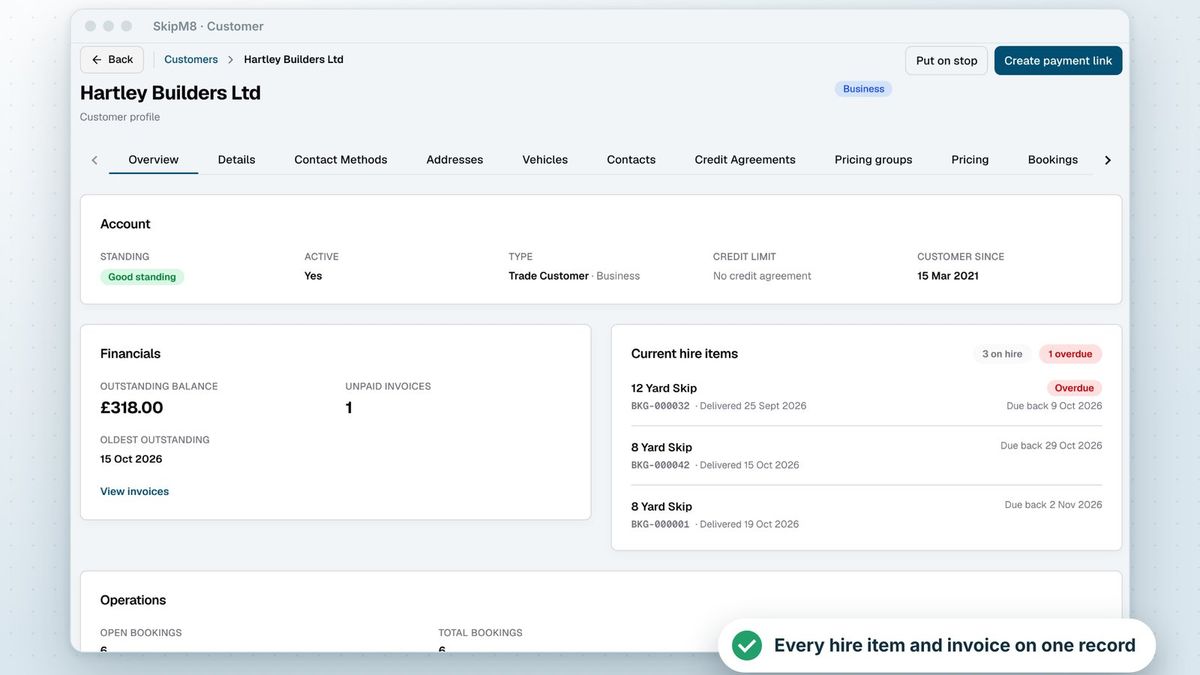
A customer's page in SkipM8 showing account standing, outstanding balance, hire items and bookings

Fix a wrong price without starting again

Priced a finished job wrong? Change the price from the job. SkipM8 asks what to do with the invoice: change it while it hasn't yet gone to the customer or your accounts, or raise a credit note and bill again.

Cancelling a job? You choose whether to credit its charges or leave the invoice as it is. Credit notes and refunds stay against the invoice they relate to, so the history is always clear.

Customer sends a purchase order number after the work's booked? Add it to the booking, the job or the invoice.

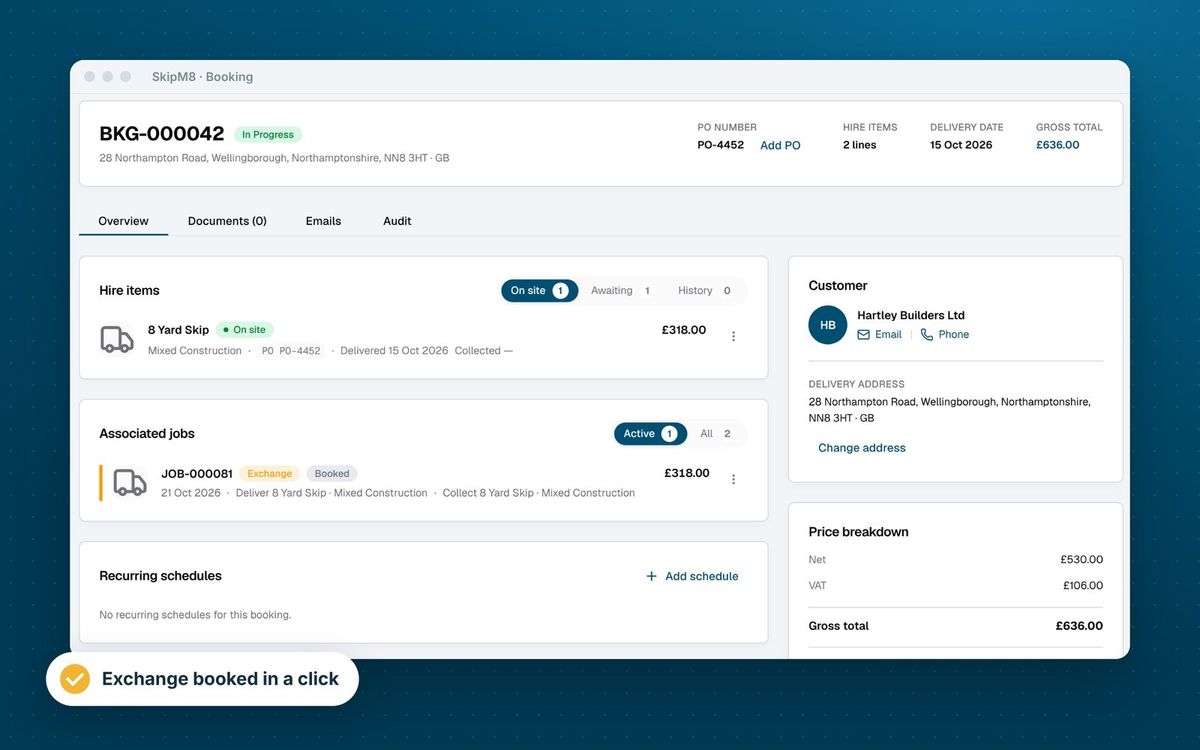
A booking showing a skip on site, an exchange job booked, the price breakdown and invoices

Keep your accounts up to date without double entry

Connect Xero, QuickBooks, FreeAgent or Sage Accounting and send invoices, payments, credit notes and refunds to your accounts from SkipM8. Payments you record in your accounts come back into SkipM8 too, so both sides agree.

Rather not connect? Export your invoices as a file laid out for Xero, QuickBooks, Sage 200, Sage One or Zoho Books, and import it there. Each invoice is exported once, so every export picks up only what's new.

The accounting integration is included on Pro and Enterprise, and can be added to Grow for a monthly fee.
From booking to paid

  1. Take the booking and a draft invoice is raised with the skip, permit and extras on it, or the booking is added to a weekly or monthly customer's running invoice.
  2. Charges worked out from a weight are added once the load has been weighed.
  3. Check the invoice and issue it, or let automatic issuing issue it and email it to the customer.
  4. Send a card payment link, or record the payment when it arrives.
  5. Sync the invoice and its payments to your accounting software, or export your invoices as a file to import yourself.

Related features

Xero

Sync invoices & payments

More on XeroThe SkipM8 invoice list, showing each invoice's Xero number beside its SkipM8 reference

Stripe

Card payment links for invoices

More on StripeA SkipM8 customer page showing the customer's outstanding balance and current hire items

Our growing customer base

Skip hire and waste businesses across the UK run their bookings, dispatch and paperwork on SkipM8.

Common questions

Can I check an invoice before it goes out?

Yes. Invoices start as drafts unless you switch on automatic issuing, so you can check them and issue when you are ready.

Can customers pay by card?

Yes. Once you connect your Stripe account you can send a payment link, and the money is paid into your Stripe account.

Can I send invoices in bulk?

Yes. Tick invoices in the list to issue, email, sync, download or print them together.

Will a credit customer be stopped from booking when they hit their limit?

No. SkipM8 shows how much of their limit is used and left, and you decide whether to take the booking.

See SkipM8 in action

Book a demo and we'll walk you through it with jobs like yours, or start on the free Solo plan today.