
SkipM8

Meet your duty of care without chasing paperwork

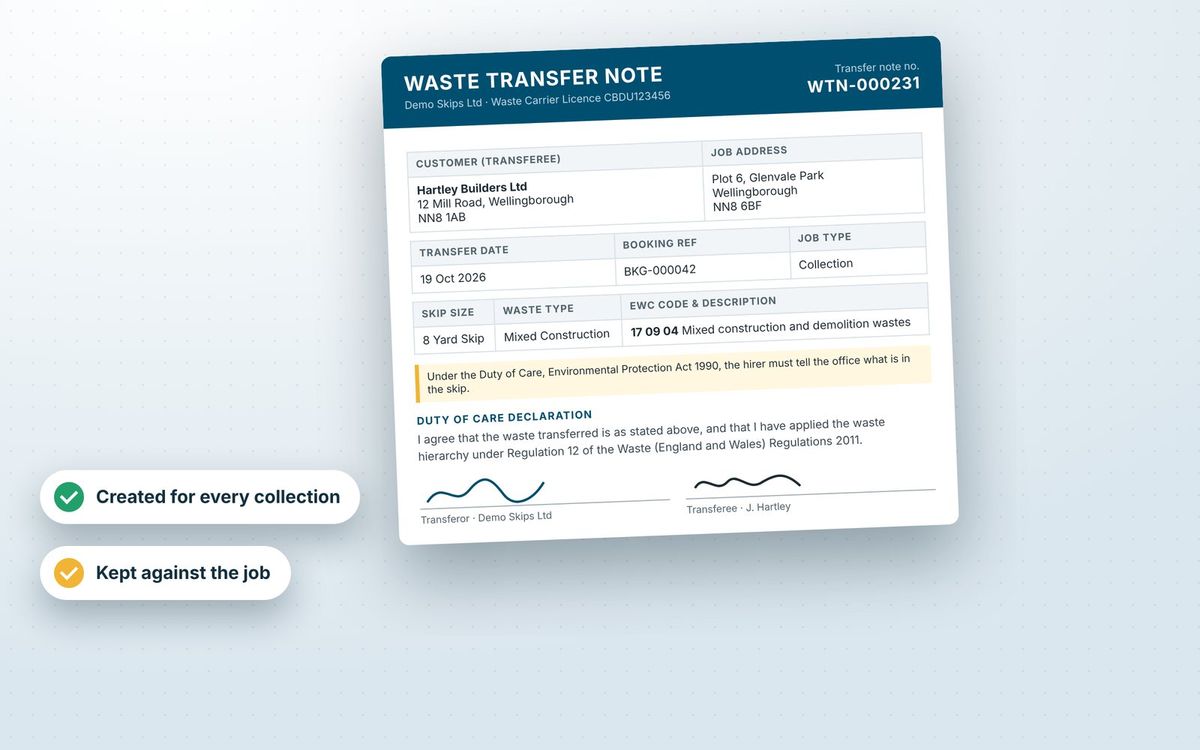
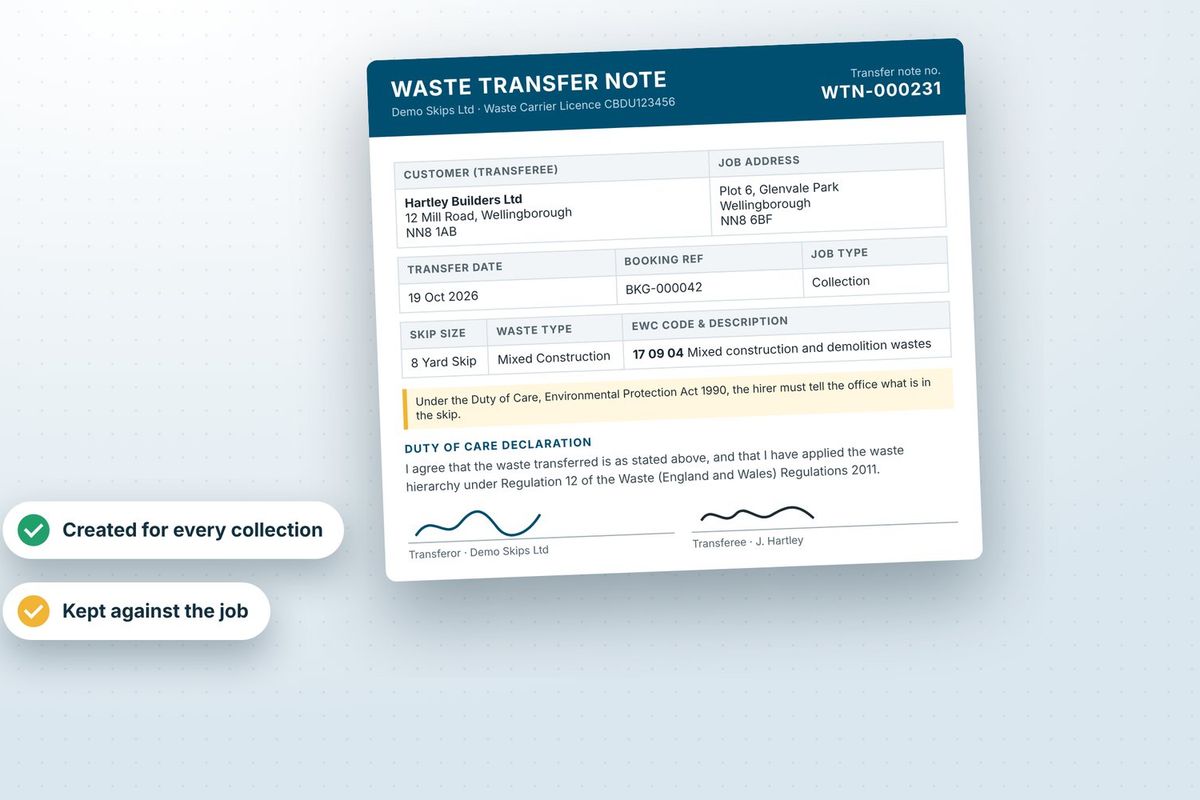
Under the Duty of Care (Environmental Protection Act 1990, section 34), waste must be handed over with a waste transfer note. Rather than writing it out by hand, SkipM8 builds that paperwork from the booking, so the waste description, EWC codes and parties match what was booked and collected.

Every collection, exchange, wait and load, grab hire, rubbish clearance and bin job gets its own transfer note. Your customer signs it on the driver's phone, so there's no paper to lose.

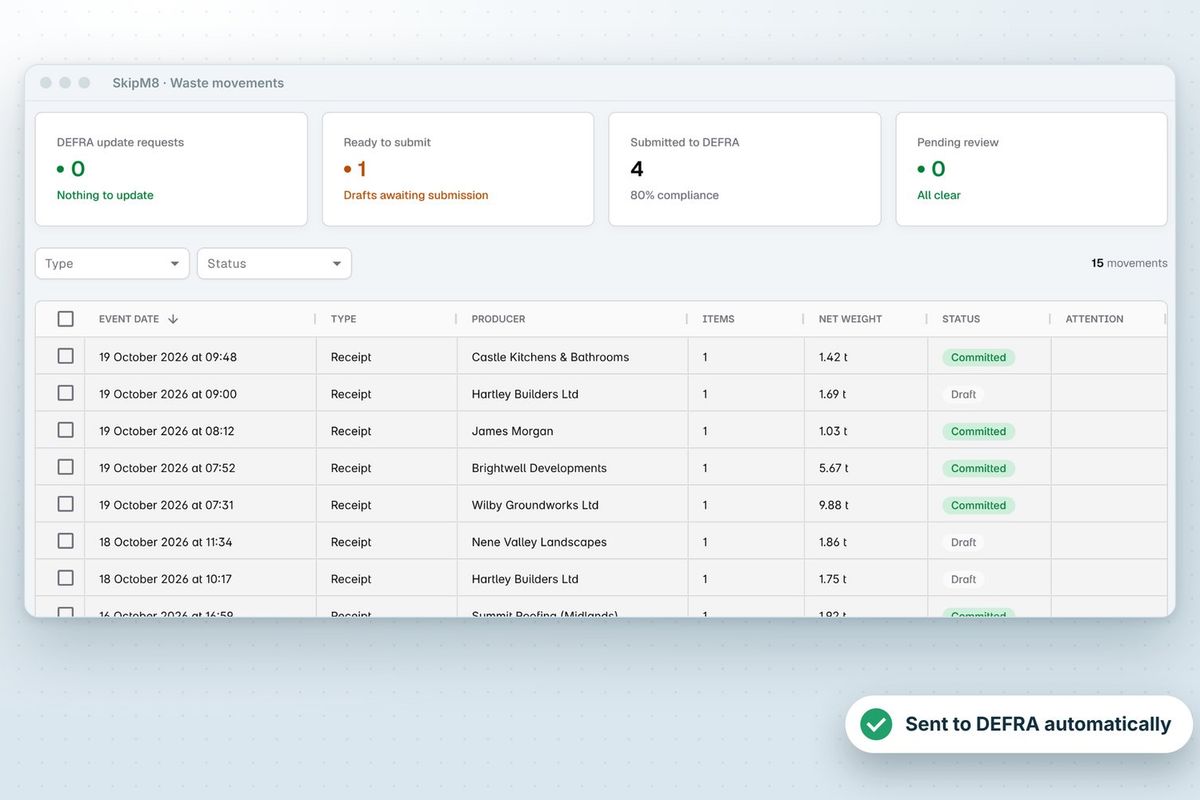
The same description then carries through to the depot breakdown and the DEFRA receipt, so your chain of custody holds together.

A waste transfer note showing an EWC code, the parties and signatures

Describe the waste once and never retype it

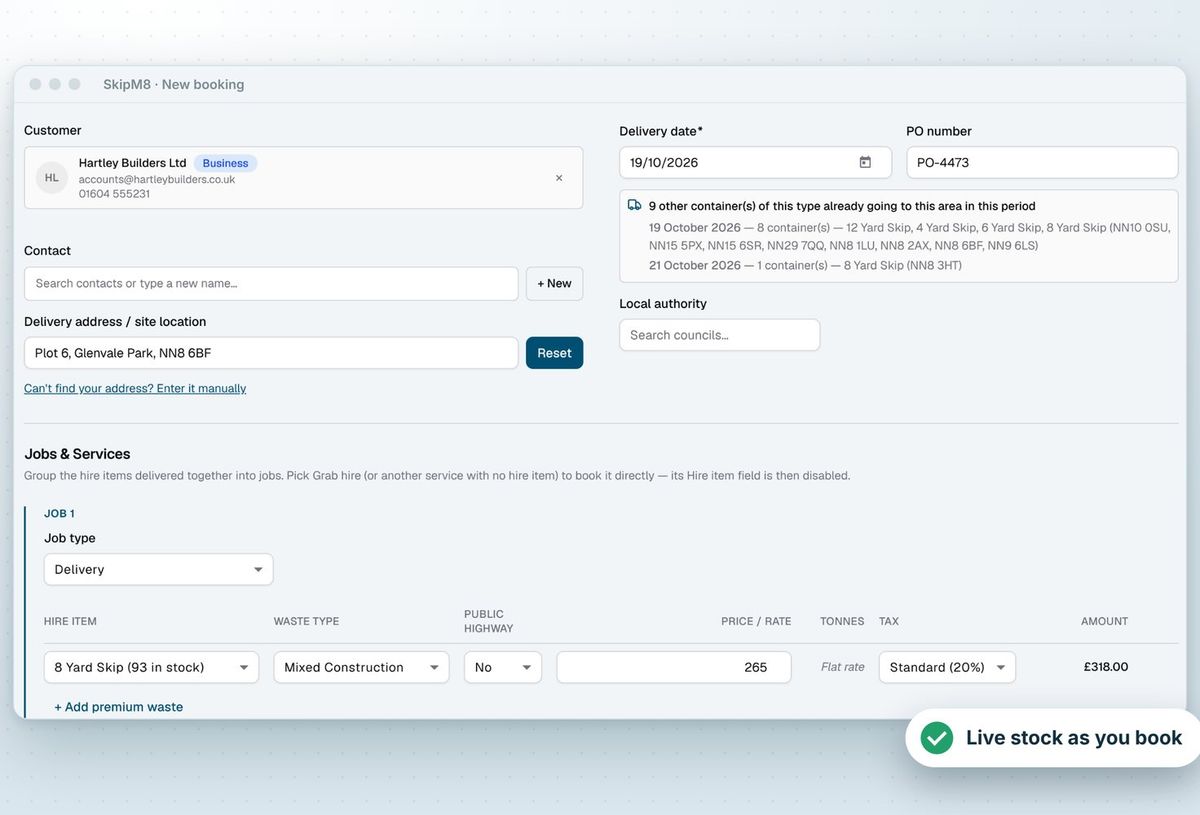
Each waste type you set up carries its own classification, and every booking for it inherits that.

  • Give each waste type up to five EWC codes, each with its official description.
  • Set the waste's typical physical form once and have it used on every receipt.
  • Flag hazardous and POPs waste, with the HP codes and components behind them where you have them.
  • Report each load with how its waste will be recovered or disposed of, using default routes.
  • Show the same waste details on the booking, the transfer note and the DEFRA receipt.
SkipM8 new booking form with customer, delivery address, skip and waste type

The chain of custody, step by step

  1. The booking records who produced the waste, what it is and where it is being collected from.
  2. The transfer note is ready to print as soon as the collection is booked.
  3. On site, the driver can confirm the waste type, or correct it if the skip holds something else.
  4. The customer signs on the driver's phone, and the signed note replaces the advance copy.
  5. At the depot, the load is weighed and split by EWC code, completing the DEFRA receipt.

Get the paperwork right when the skip isn't what was booked

Your drivers see what's really in the skip. If a booking says inert and it's full of plasterboard, the driver can correct the waste type in the driver app. The correction is saved on the booking, so the next driver and the transfer note get the right description.

The price is never changed from the driver's phone. Your office sees the correction on the dashboard, with the price as sold and what it would cost on the new waste type, and decides what to do.

Drivers can also report items such as mattresses or tyres found on a collection, and an EWC code found on tipping can be added to that one load without changing the waste type.
Related features

Waste transfer notes

A note for every collection, signed on the phone

More on waste transfer notesA waste transfer note showing an EWC code, the parties and signatures

DEFRA

Waste receipts sent to DEFRA's tracking service

More on DEFRASkipM8 waste movements list showing receipts, producers, net weights and DEFRA submission status

Our growing customer base

Skip hire and waste businesses across the UK run their bookings, dispatch and paperwork on SkipM8.

Duty of care questions

Who signs the transfer note?

Your customer signs on the driver's phone and gives their name. Your own company signature, set up once in your settings, can be added to the note as well.

How do you handle hazardous waste?

Hazardous waste moves on consignment notes. SkipM8 records the consignment code against the load, or the reason there is none, along with the HP codes and components, so the DEFRA receipt is complete.

What if our waste goes to another company's facility?

SkipM8 records the movement to that facility, with your carrier details, so you have a record of where every load went.

See SkipM8 in action

Book a demo and we'll walk you through it with jobs like yours, or start on the free Solo plan today.




