
Send drivers out with everything they need
No more ringing the office to check the next address. My Jobs, the SkipM8 driver app, shows each driver their jobs for the day. It opens in the phone's web browser, so there's nothing to download from an app store.
Every job shows the customer, the time or slot, the address with a tap to open it in maps, a tap to call the contact, and which skip to drop and which to take on an exchange. Any highway permit for the skip is there too.
The office sees each step as it happens, with no need to ring round.
Come back with a record of every job
You set the steps per job type, so each job asks the driver for exactly what you need.
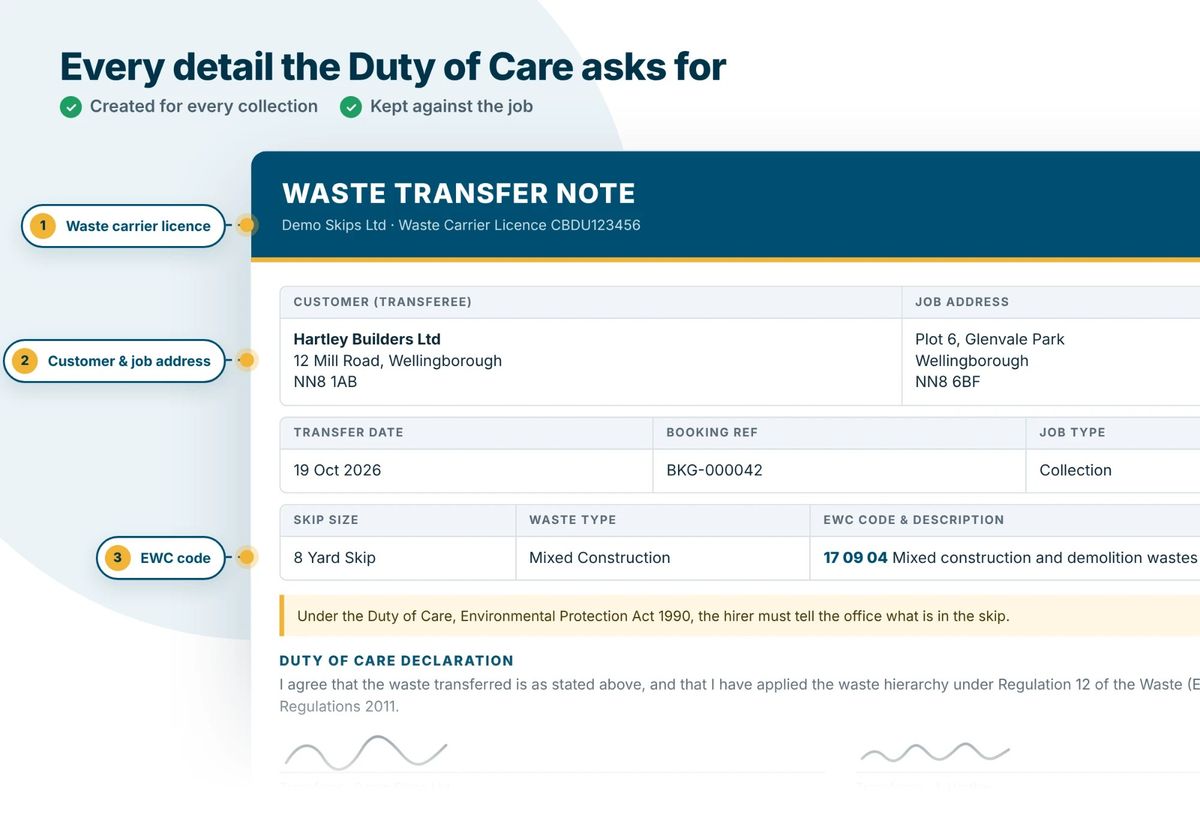
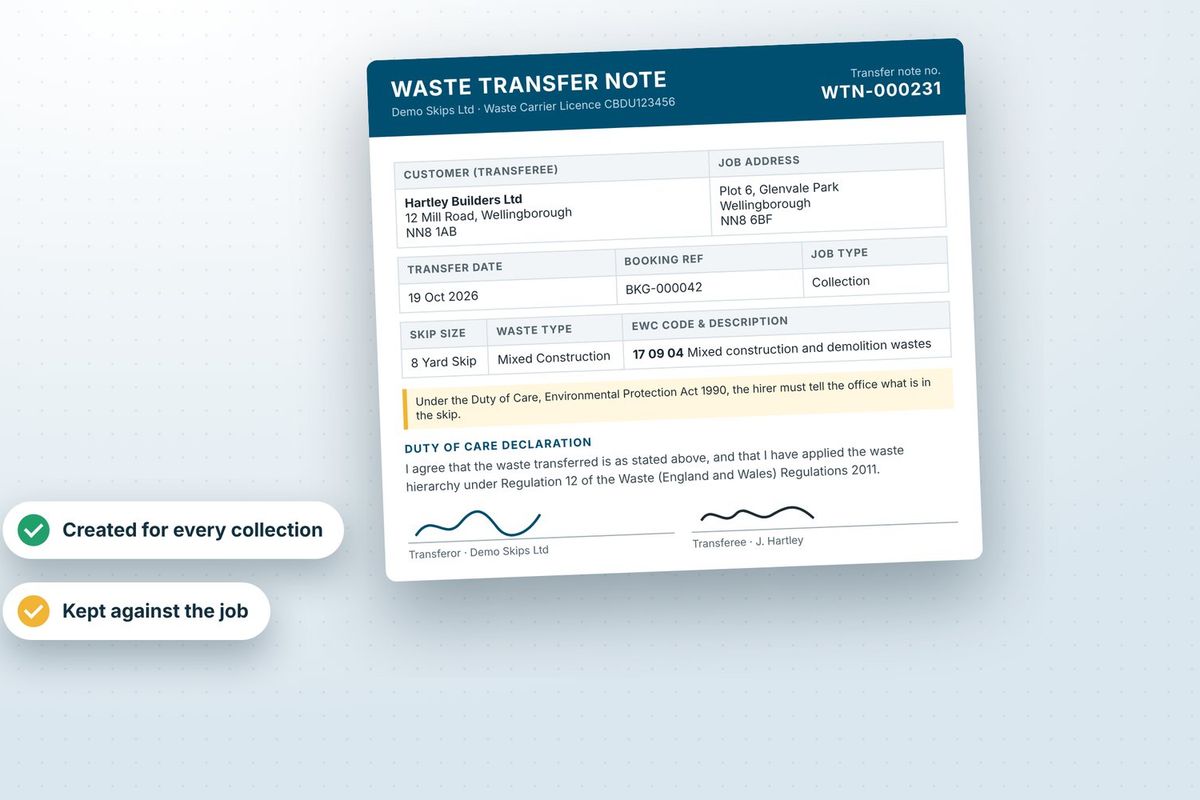
- Have a signature and photos ready if a job's questioned.
- Record gross and tare weights on site, so a weight-based price settles itself.
- Know which numbered skip was dropped or collected where.
- Catch the wrong waste type: drivers confirm it and flag a change for a price check.
- Hear about mattresses, tyres or other extras found in a skip.
- Know why a job couldn't be done from the note the driver adds to it.
Send the next driver to the exact spot
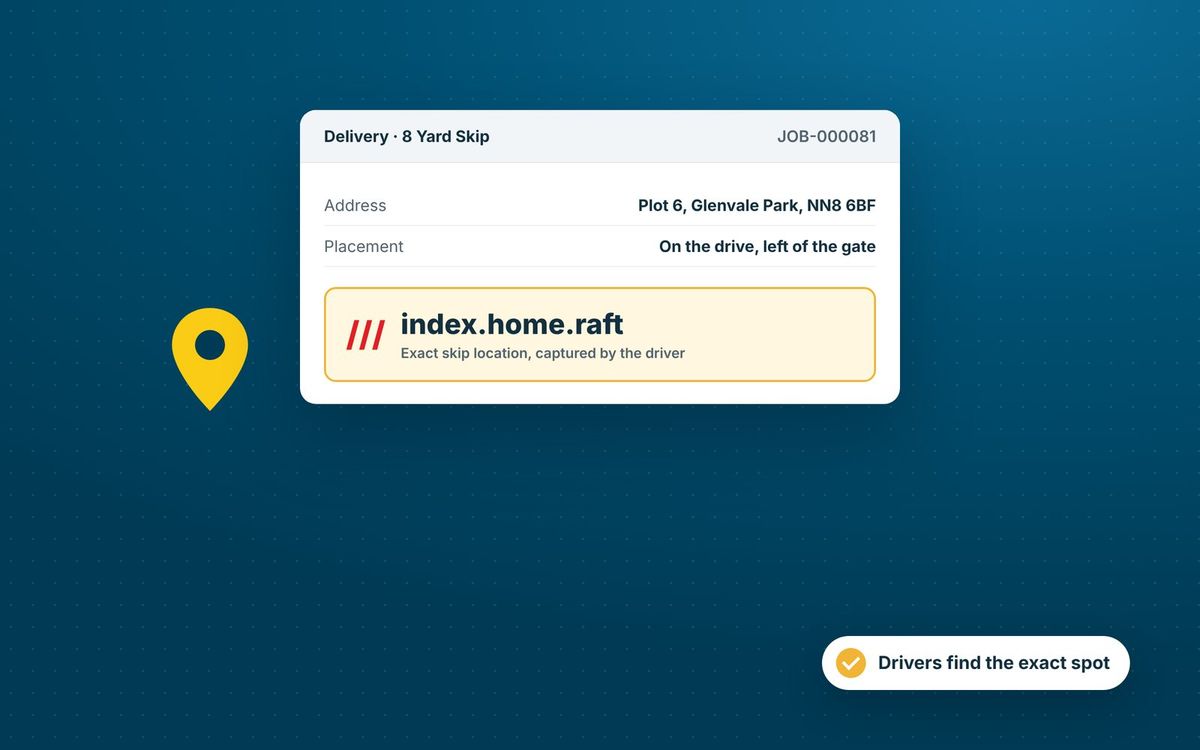
'Round the back' doesn't help the next driver. When a skip is put down, the app can record its what3words address: three words for the 3 metre square it's on.
Whoever's sent to exchange or collect it sees those three words on the job and can tap them to open maps at that exact square.
And while drivers share their location from the app, the office can see where they are on the operations map.
Keep drivers working when the signal drops
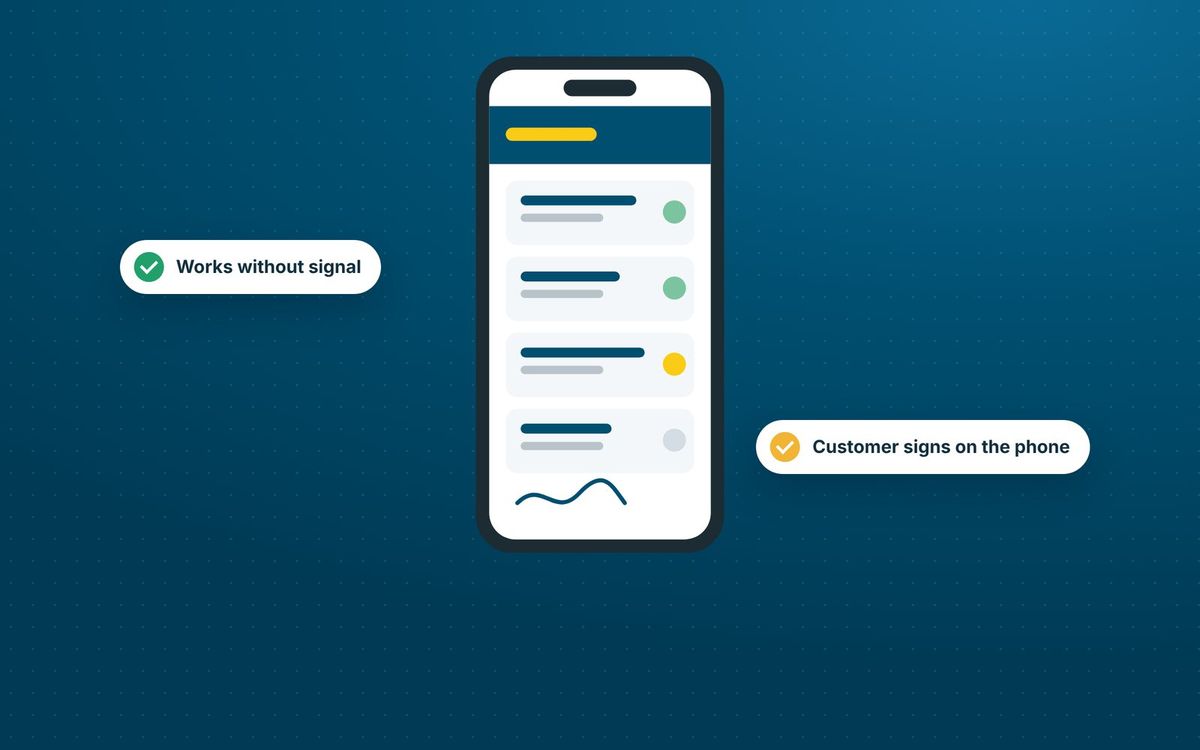
Not every site has signal. Drivers load their day while they've got it, usually at the depot. If the signal goes on site, they can still open the app, read their jobs and take every step, weights, photos and signatures included.
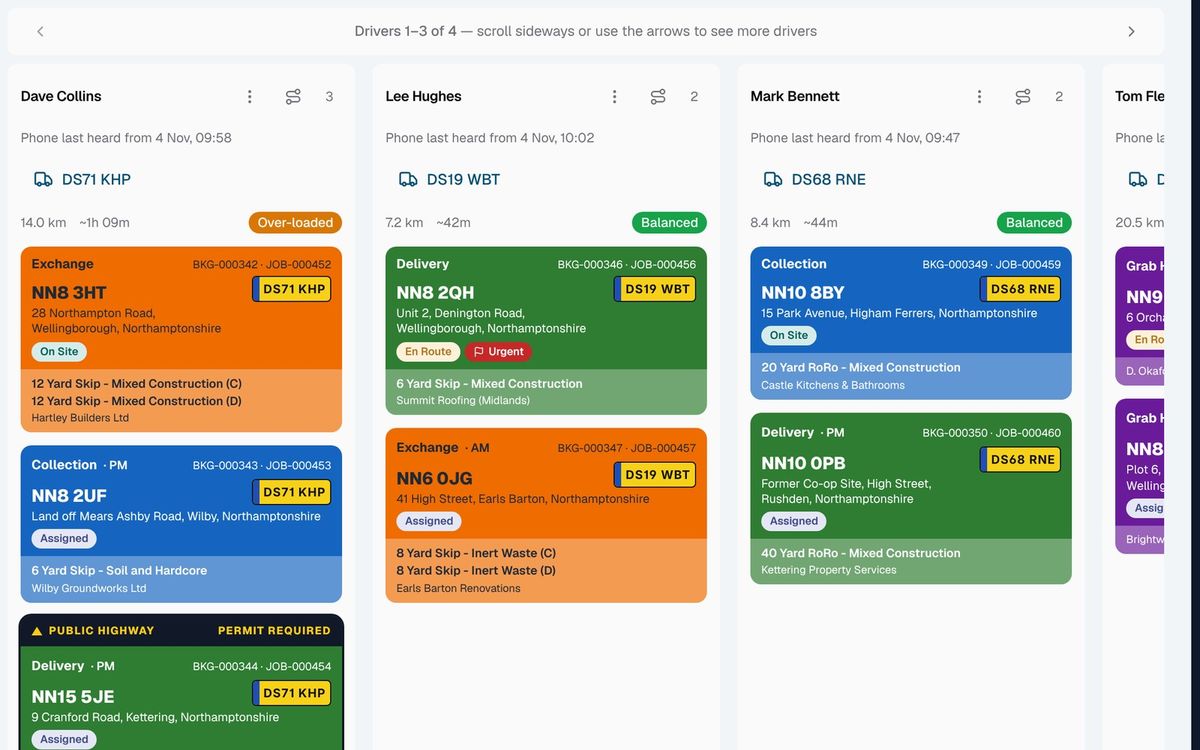
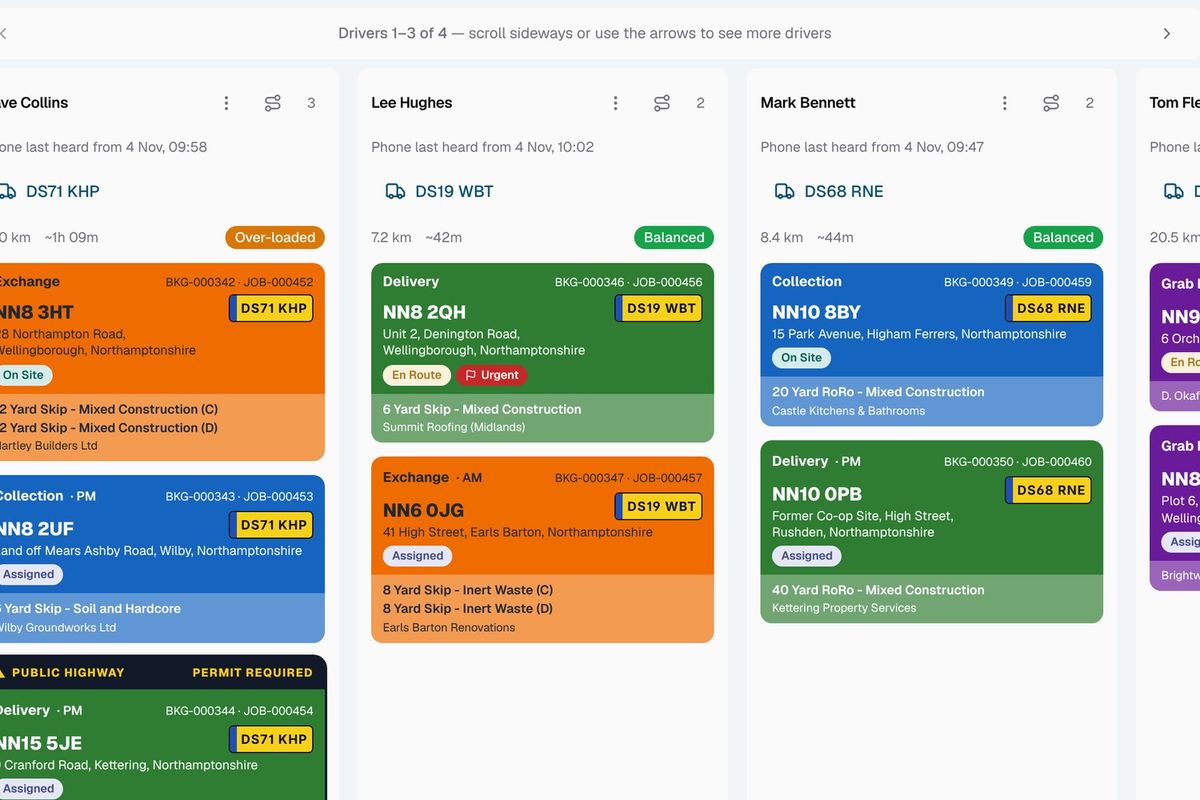
Each update waits on the phone and goes in order once the signal's back. The dispatch board shows which jobs still have updates waiting on a driver's phone, and when that phone was last heard from, so you're not left guessing.
A job from the driver's side
- The office assigns the job to a driver on the dispatch board.
- It appears in My Jobs on the driver's phone, with an alert if you have switched on driver notifications.
- On the way, the driver taps to open the address in maps or to call the contact.
- On site, the app takes them through the steps you set for that job type, such as weights, photos and a signature.
- Each step reaches the office as it is taken, or as soon as the phone has signal again.
Related features
Our growing customer base
Skip hire and waste businesses across the UK run their bookings, dispatch and paperwork on SkipM8.





Common questions
Do drivers need to download an app?
No. My Jobs runs in the phone's web browser. On an iPhone, adding it to the Home Screen lets drivers receive job notifications.
Will drivers know when I give them a new job?
If you switch on driver notifications, each driver gets an alert on their phone when a job is assigned to them, even with the app closed.
Can a driver see other drivers' jobs?
No. Each driver sees only the jobs assigned to them.
Some of our drivers prefer paper. Is that a problem?
No. You can print any driver a job sheet for the day from SkipM8.
Which plans include what3words and live locations?
Capturing what3words locations and showing drivers' live locations to the office are on the Grow, Pro and Enterprise plans.
See SkipM8 in action
Book a demo and we'll walk you through it with jobs like yours, or start on the free Solo plan today.