SkipM8

Stop writing out waste transfer notes by hand

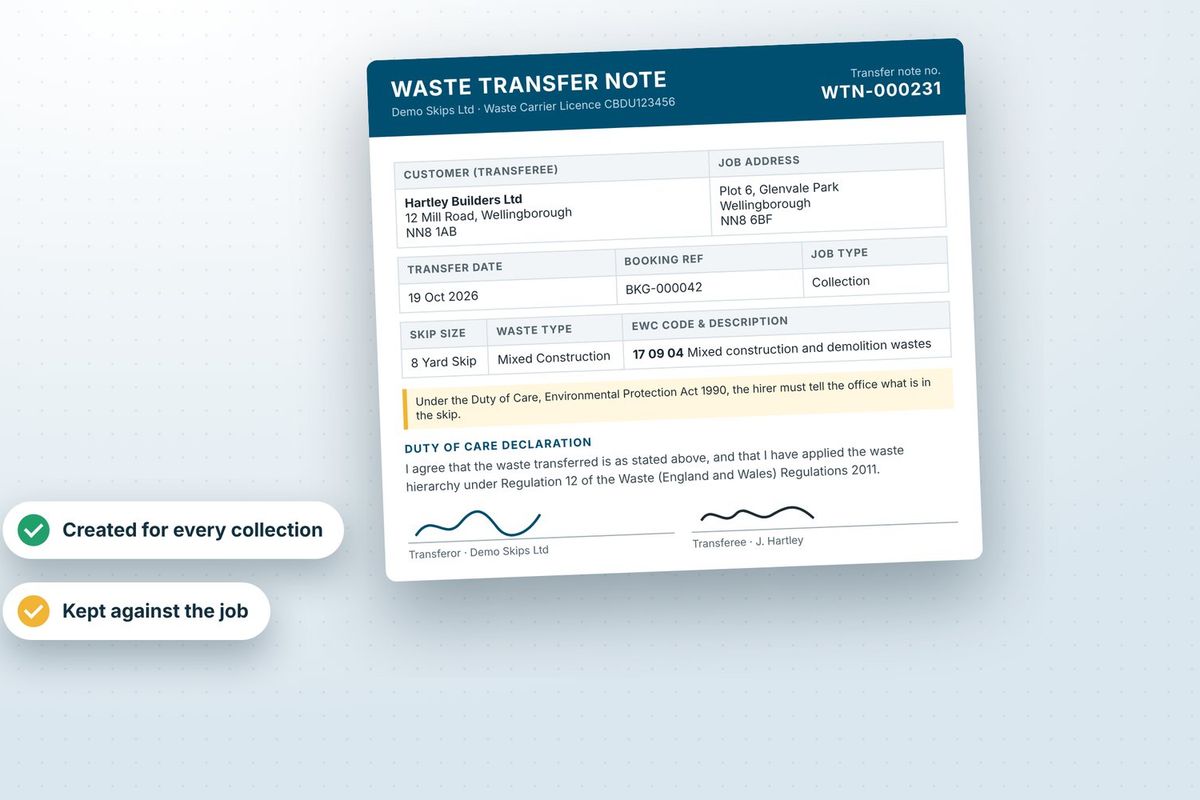
Under the Duty of Care, waste needs a transfer note when it changes hands. SkipM8 produces yours from the job itself, so nobody fills one in by hand.

The note's ready as soon as a collection is booked, so the office can print one for the driver. When the driver completes the job, it's replaced with a copy carrying the customer's signature, under the same number.

You get notes for loads tipped at your transfer station, and for waste you send on to another facility, too.

A waste transfer note with EWC code, Duty of Care declaration and signatures

Stop hunting for a booking's paperwork

The booking's Documents tab gathers what's been captured across all its jobs, ready when a customer asks.

  • Keep site plans, signed orders or the customer's own paperwork with the booking from the moment you take it.
  • See the photos and signatures your drivers capture on site.
  • Find any waste transfer note by its number and email it straight to the customer.
  • Rename, download or delete any uploaded file.
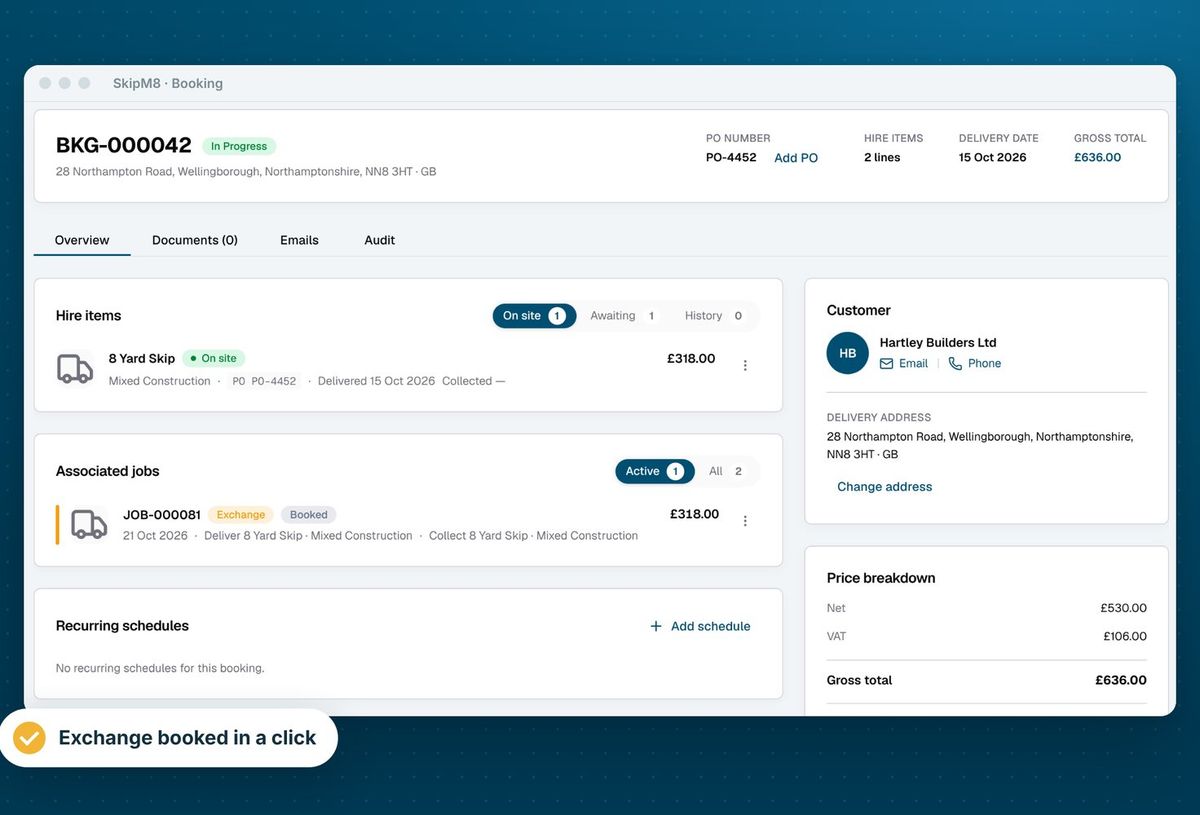
A booking in SkipM8 showing a skip on site, an exchange job and invoices

Send paperwork that looks like yours

Upload a Word template for your invoices, credit notes, waste transfer notes and driver job sheets. SkipM8 lists the details you can place in it, such as the customer, address, skip, waste type and EWC code, and lets you preview it with sample data before you save, so you know how it'll look.

Add your own job paperwork too, such as a delivery note or a handover certificate. Choose when it's produced, for example when a delivery job is booked, and whether it's filed on the booking, filed on the job or emailed to the customer.

Haven't uploaded your own? SkipM8 uses a standard layout, so a document is always produced.
Answer 'I never got it' with the facts

  • Download, print or email invoices one at a time or in bulk, and download or email credit notes.
  • See every automatic email sent about a booking, what it said and who it went to.
  • Check whether each email was delivered and whether it shows as opened.
  • Attach standing files, such as your terms, to every email a template sends, so they're never forgotten.
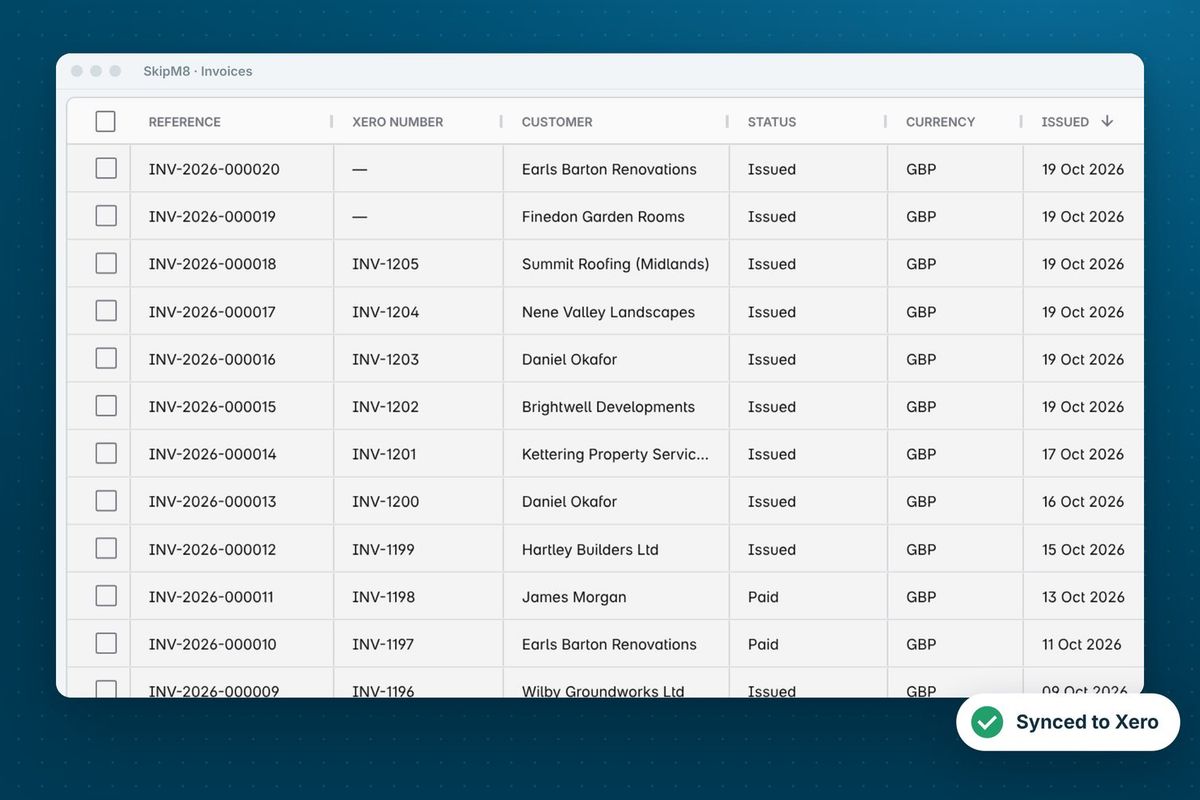
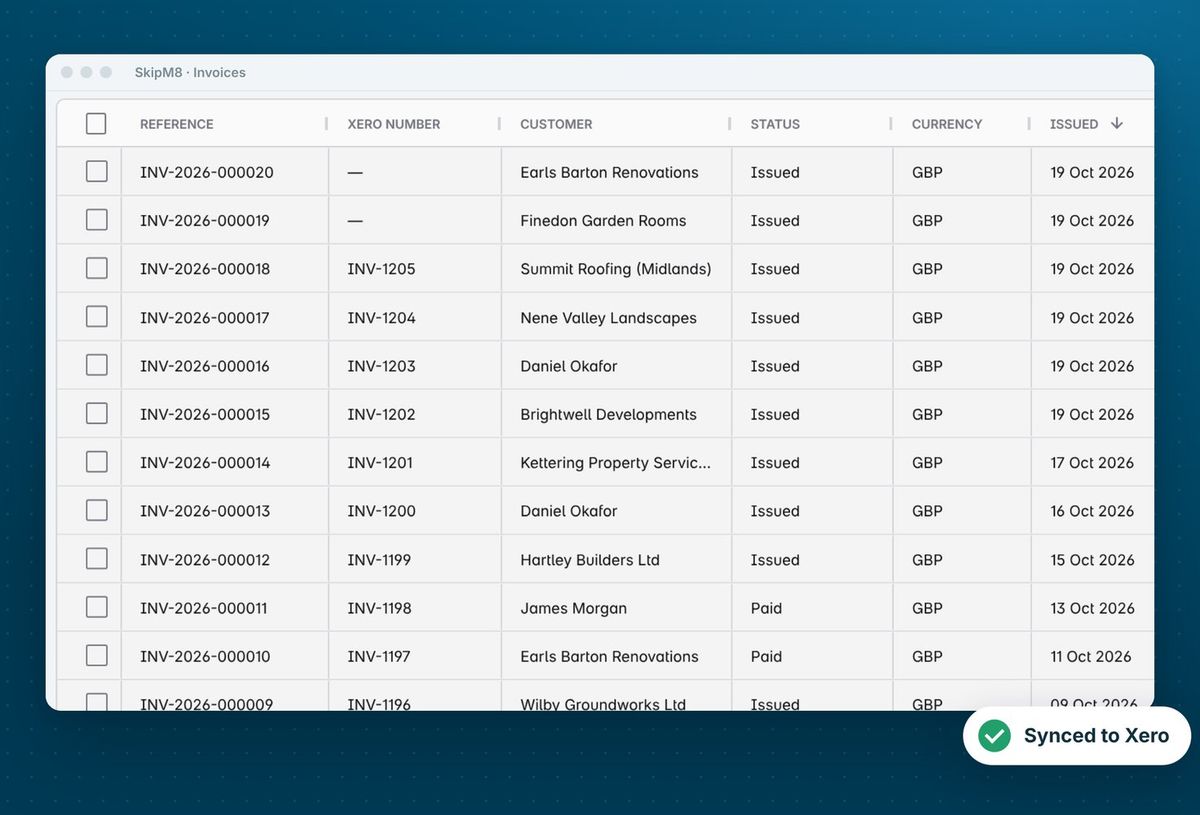
The invoice list in SkipM8 with each invoice's Xero number

How the paperwork follows a job

  1. Attach any files the customer gives you, such as a site plan, to the booking when you take it.
  2. When a collection is booked, its waste transfer note is ready to print for the driver.
  3. On site, the driver takes photos and the customer's signature in the driver app.
  4. When the job is completed, the signed note replaces the printed copy and can be emailed to the customer automatically.
  5. Everything stays on the booking's Documents tab, ready to download or email again.

Related features

Waste transfer notes

A note for every collection, signed on the phone

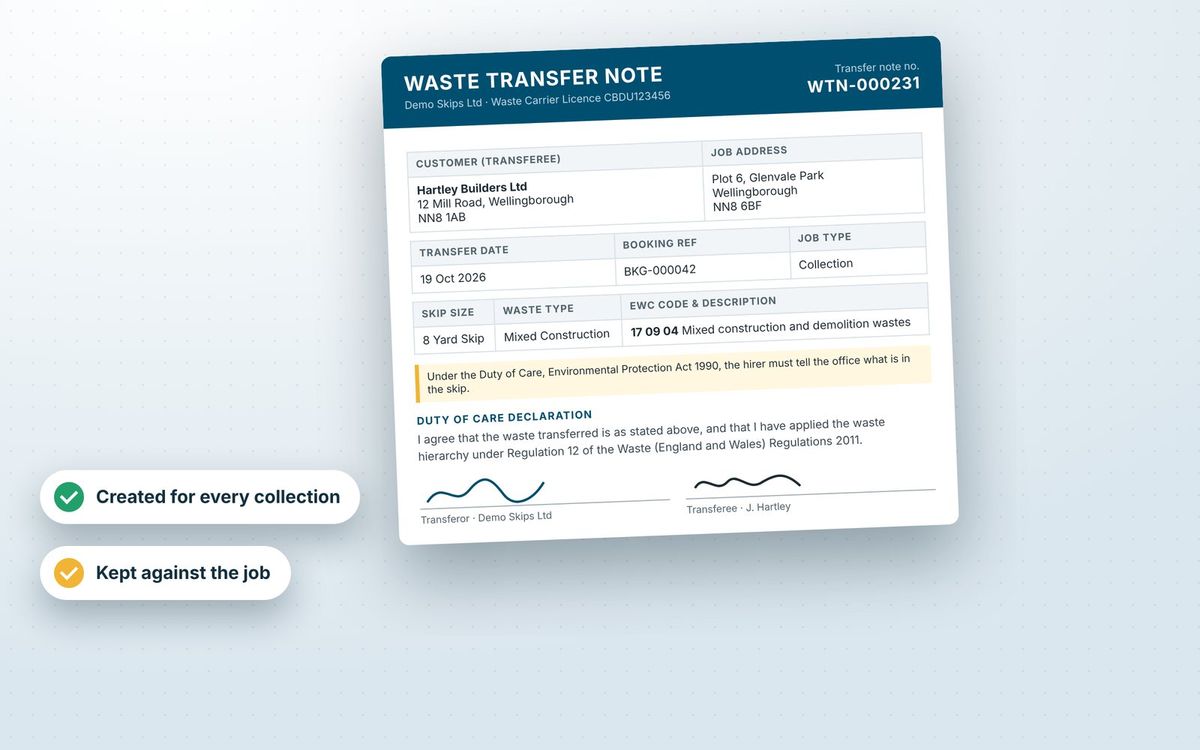
More on waste transfer notesA waste transfer note showing an EWC code, the parties and signatures

Invoicing

Invoices from completed jobs, paid by card or synced

More on invoicingThe SkipM8 invoice list showing each invoice with its Xero number

Our growing customer base

Skip hire and waste businesses across the UK run their bookings, dispatch and paperwork on SkipM8.

Common questions

Do I have to design my own templates?

No. SkipM8 produces documents in a standard layout until you upload your own.

Can the driver get the customer to sign?

Yes. The driver takes the signature in the driver app and it appears on the completed waste transfer note.

Is the waste transfer note emailed automatically?

The copy made when the collection is booked is for printing only. The signed copy can be emailed to the customer automatically when the driver completes the job, and you can email any note from the booking.

Can I see what we told a customer by email?

Yes. The booking's Emails tab shows each automatic email with its content, when it was sent and whether it was opened.

Which plans let me upload my own templates?

The built-in templates come with every plan. Uploading your own document, email and text message templates is on the Grow, Pro and Enterprise plans.

See SkipM8 in action

Book a demo and we'll walk you through it with jobs like yours, or start on the free Solo plan today.