
SkipM8

Get your waste receipts to DEFRA without re-keying a thing

From October 2026, every permitted waste site in England, Wales and Northern Ireland must record each receipt of waste on DEFRA's Digital Waste Tracking Service. Scotland follows in January 2027.

SkipM8 connects to the service directly, so you don't need another system. When a collected load is weighed and broken down at your depot, or a tipping load is confirmed at your transfer station (Waste In, on Grow and above), SkipM8 builds the receipt ready for your office to send to DEFRA. Or it can send it automatically if you switch that on.

Your team records each load once, in SkipM8, and the receipt is built from that, with nothing copied across.

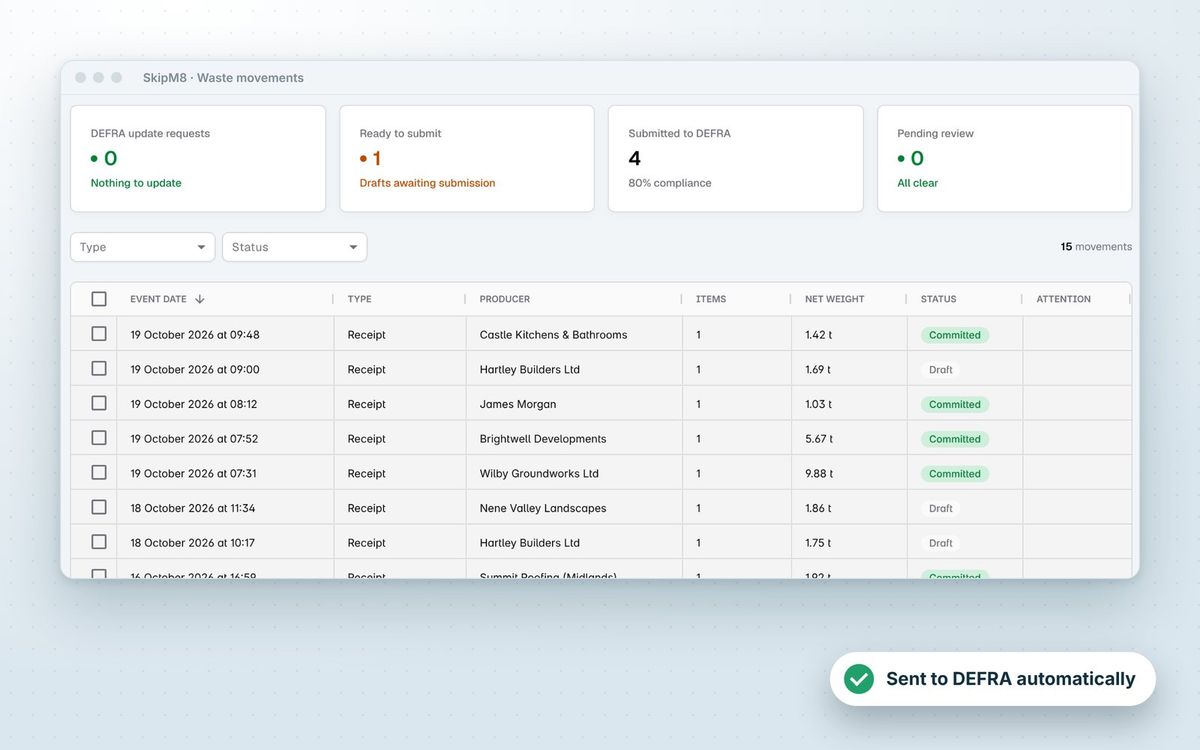
SkipM8 waste movements list showing receipts, producers, net weights and DEFRA submission status

Receipts that fill themselves in

SkipM8 completes each receipt from what your team has already recorded, so nobody types a load in twice.

  • Skip entering permit details each time: they come from your receiving site's settings.
  • Pick up the producer, carrier and any broker from the booking and your customer records.
  • Include your waste carrier registration and the registration of the vehicle that carried the load.
  • Report each waste type with its EWC codes, physical form, container, weight and whether it was weighed or estimated.
  • Cover hazardous and POPs details, with a consignment code or the reason there isn't one.
  • Get disposal or recovery codes split across the weight using each waste type's default routes.
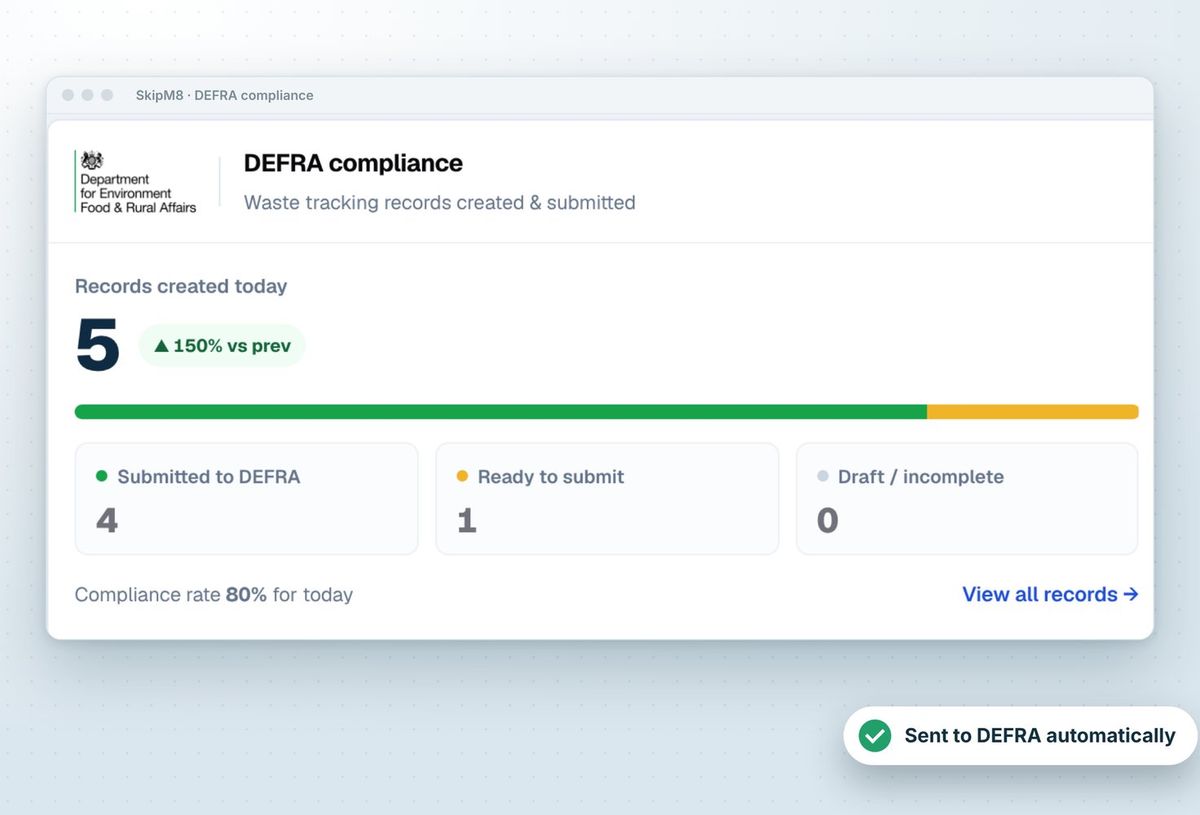
SkipM8 dashboard DEFRA compliance panel with submitted, ready and needs attention counts

From weighbridge to DEFRA

  1. A collection is completed and, when the waste comes back to your own site, SkipM8 creates a waste receipt for the load.
  2. At the depot, your team records the gross and tare weights and splits the waste by EWC code.
  3. SkipM8 checks the receipt against DEFRA's rules before anything is sent.
  4. A complete receipt is submitted by your office, one at a time or in bulk, or automatically if you have switched that on.
  5. DEFRA returns a waste tracking ID, which SkipM8 keeps against the record.

Put problems right before they cost you time

A receipt missing a vehicle registration, your waste carrier licence or a site permit doesn't just sit there unnoticed. SkipM8 marks it as needing attention and tells you how to fix it. Once you have, refresh the record and it's ready to go.

If DEFRA refuses a submission, you'll see its reason on the record, so your office can put it right and try again.

Spot a mistake later? Correct it at the source. Amend the weights or the waste breakdown, or add an EWC code found on tipping, and SkipM8 sends the corrected receipt to DEFRA under the same tracking ID.
Related features

Compliance reporting

See what is submitted, ready and overdue

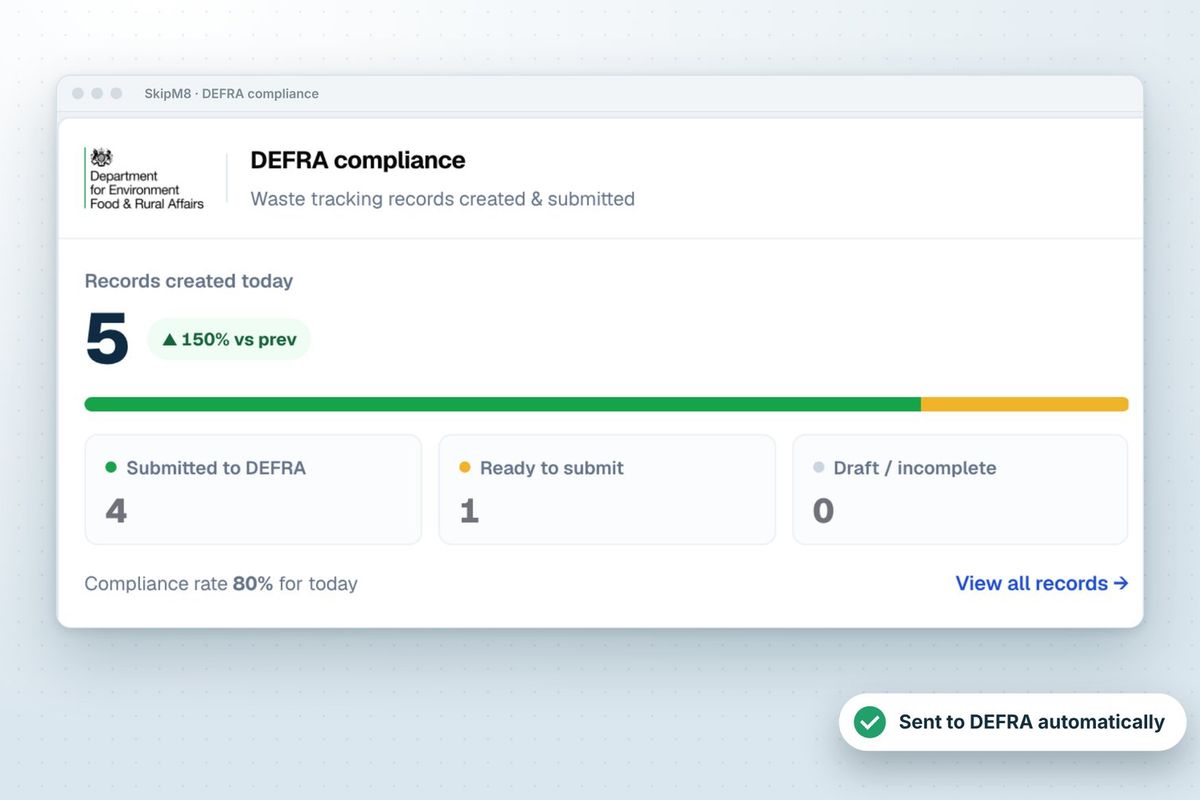
More on compliance reportingSkipM8 dashboard DEFRA compliance panel with records created, submitted, ready and needs attention

Waste transfer notes

A note for every collection, signed on the phone

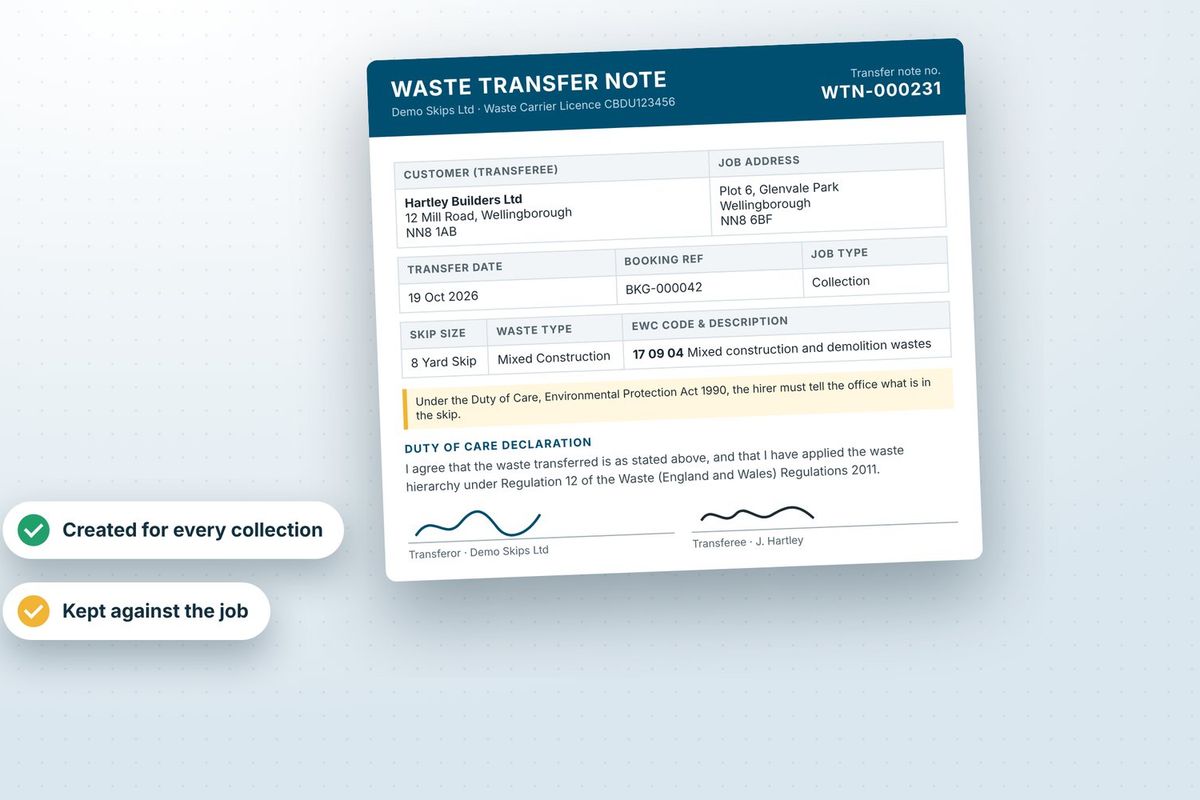
More on waste transfer notesA waste transfer note showing an EWC code, the parties and signatures

Our growing customer base

Skip hire and waste businesses across the UK run their bookings, dispatch and paperwork on SkipM8.

DEFRA submission questions

Can receipts go to DEFRA without anyone pressing submit?

Yes. Switch on automatic submission in your organisation settings and each receipt is sent as soon as it is complete. If DEFRA refuses one, it stays in SkipM8 with the reason, ready for your office.

Can we submit lots of receipts at once?

Yes. Tick the receipts in the waste movements list and submit them together. SkipM8 tells you how many DEFRA accepted and names any it refused.

How do we report waste collected before we moved to SkipM8?

Use Record movement on the waste movements list to enter a receipt by hand. It goes through the same checks and the same submission as any other receipt.

What if DEFRA asks us to change a receipt?

Update requests from DEFRA are counted on your dashboard and can be filtered in the waste movements list, so your office can find each one and send the correction.

Does SkipM8 send waste we take to other facilities?

SkipM8 submits waste receipts for your own permitted sites. Loads you deliver to another facility, and waste you send out, are recorded in SkipM8 so you have the full picture.

See SkipM8 in action

Book a demo and we'll walk you through it with jobs like yours, or start on the free Solo plan today.




