
SkipM8

Know exactly where you stand with DEFRA

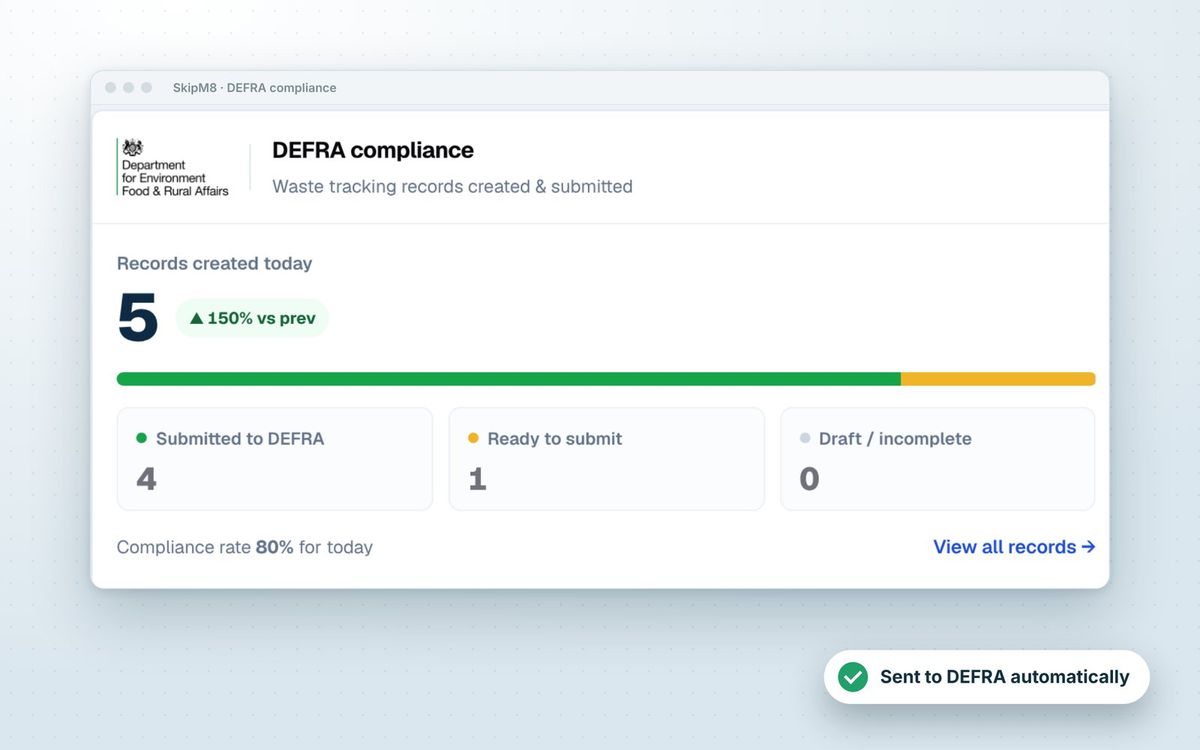
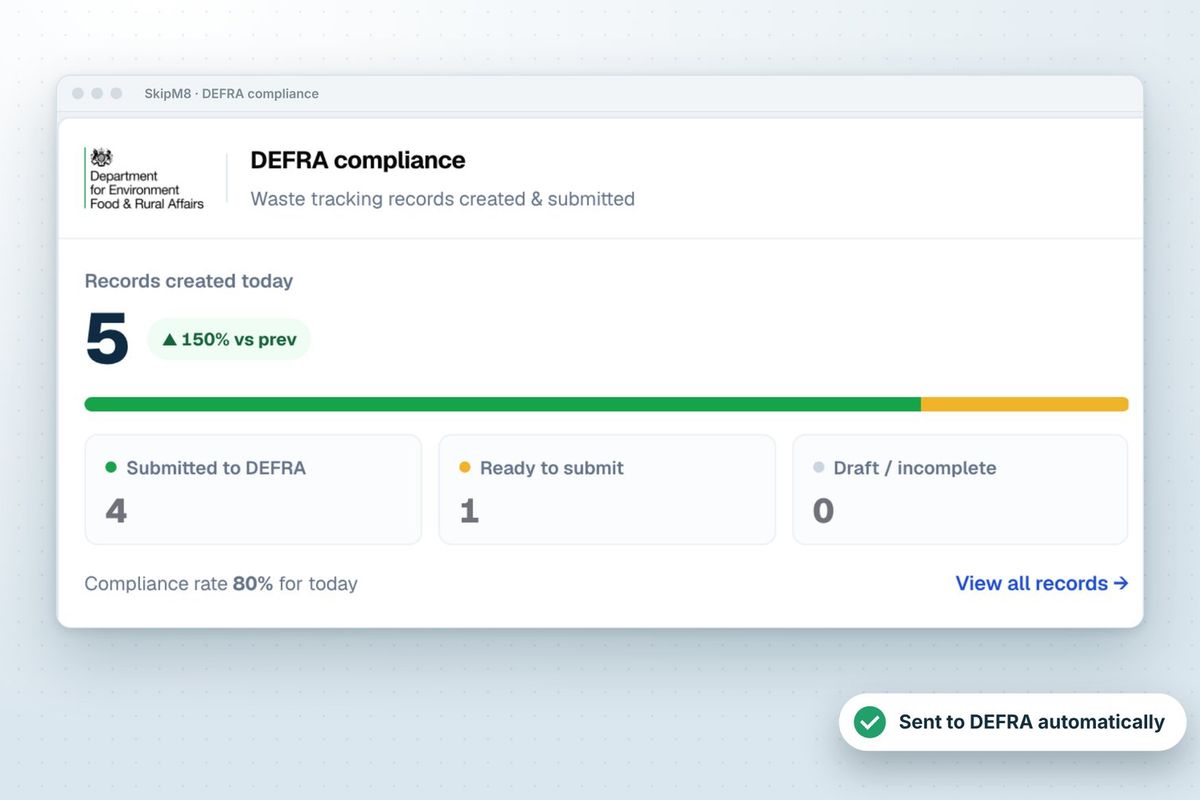
Reporting is hard to track when records are scattered. The DEFRA compliance panel on your dashboard counts waste records created today, yesterday, this week, month, quarter or year, and compares them with the period before.

Each record sits in one of three groups: submitted to DEFRA, ready to submit, or draft and incomplete. Click any number to open a list of exactly those records.

The panel also gives you a compliance rate for the period, so you can tell at a glance how much of your waste has been reported.

SkipM8 dashboard DEFRA compliance panel with records created, submitted, ready and needs attention

Spot what needs doing before it becomes a problem

Next to the counts, the panel lists the work that's still outstanding. Each line takes you straight to the records behind it.

  • Catch records needing attention, such as a missing weight, EWC code or signature.
  • Chase overdue submissions: receipts that have gone more than 24 hours without reaching DEFRA.
  • Respond to update requests from DEFRA on receipts you've already submitted.
  • Get warned if your waste carrier licence or a site permit is missing, and add it in a couple of clicks.
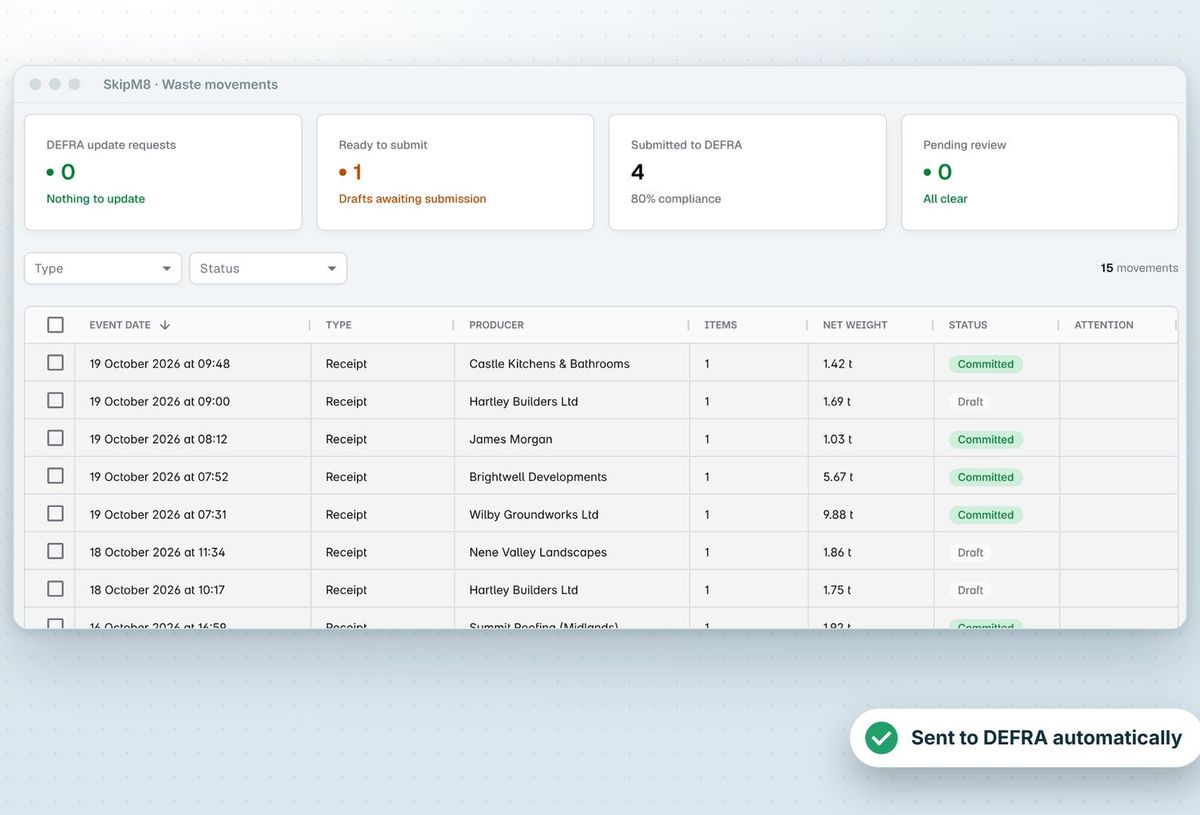
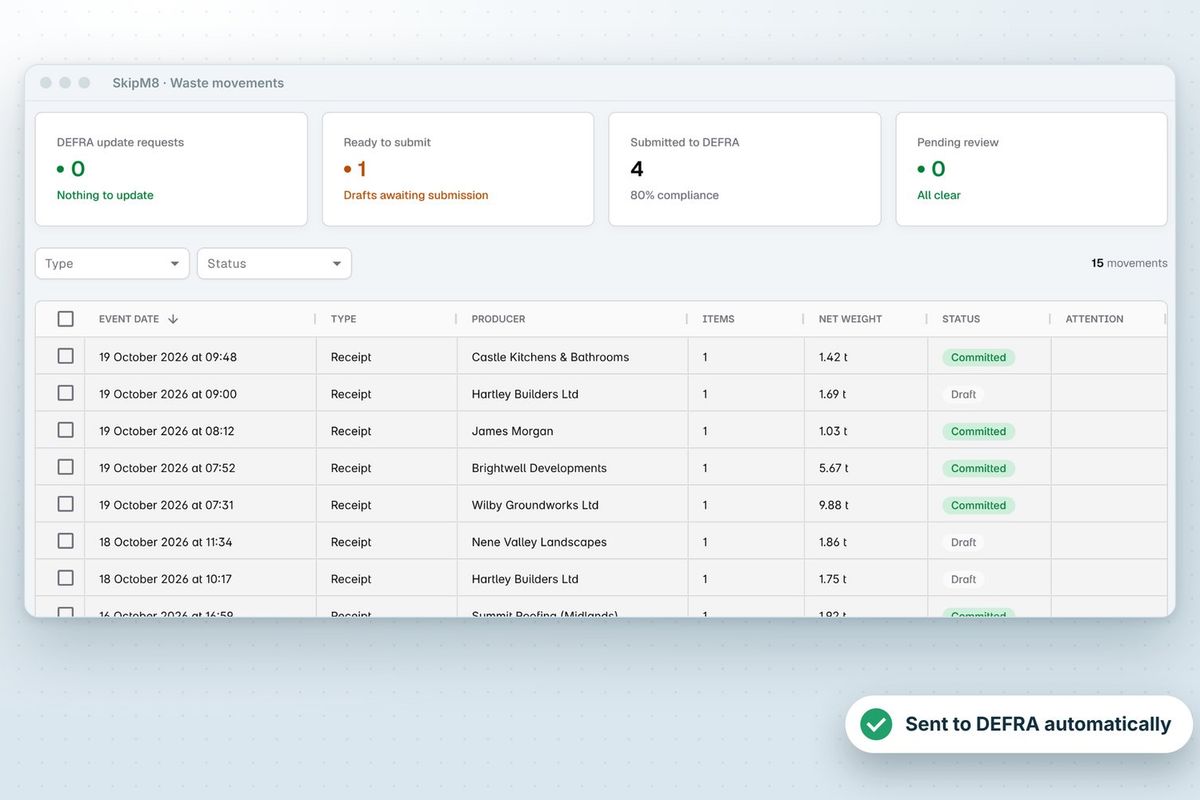
SkipM8 waste movements list showing receipts, producers, net weights and DEFRA submission status

Answer any question about a load from one record

Open any waste movement to see what was received, from whom, by which carrier and in what container. Each waste item shows its type, EWC codes and weight, alongside the gross, tare and net weights and the breakdown by EWC code.

The DEFRA section shows the submission status, the waste tracking ID DEFRA assigned, when the receipt was last sent and any warnings DEFRA returned. Files uploaded to the waste processing job are listed with the record, so you're not hunting for them.

A receipt DEFRA has accepted is marked as committed. If it's corrected later, the change goes to DEFRA under the same tracking ID, so your copy and DEFRA's stay the same.
Pull the figures you need in seconds

The DEFRA submissions report lists every receipt sent to DEFRA over a date range, with its tracking ID, status, site, producer, weighbridge reference, net weight and any DEFRA warnings. The waste collected by type report totals the net weight you collected for each waste type. Export either to CSV.

Your waste transfer note register sits alongside them, showing every note you've issued and whether it's been sent to the customer.

From a completed job to a DEFRA record

  1. Add your waste carrier licence and each receiving site's permit or exemption number.
  2. When a collection, grab or clearance is completed, SkipM8 creates a waste receipt for the load coming back to your site.
  3. When the load is weighed and broken down by EWC code at your depot, the detail is added to the receipt and anything missing is flagged.
  4. Submit ready receipts to DEFRA from the waste movements list, or switch on automatic sending.
  5. Run the DEFRA submissions report to see what was sent, with the tracking ID DEFRA gave each receipt.

Related features

DEFRA

Waste receipts sent to DEFRA's tracking service

More on DEFRASkipM8 waste movements list showing receipts, producers, net weights and DEFRA submission status

Reporting

Finance, operations and compliance reports

More on reportingThe dashboard's DEFRA compliance panel showing records created today, submitted, ready and needing attention

Our growing customer base

Skip hire and waste businesses across the UK run their bookings, dispatch and paperwork on SkipM8.

Reporting questions

Can we see a single day's receipts?

Yes. The waste movements list shows today's draft, submitted and pending receipts above the list, and the dashboard panel can be switched to today or yesterday.

Can each person see every site?

The panel and lists show the sites each user has access to, and the compliance panel is only shown to people with permission to see DEFRA submissions.

Can we filter the list by type of record?

Yes. Switch between waste receipts, dispatches and carrier movements, and filter by status.

Which plans include the compliance reports?

Waste movement records and the DEFRA panel on the dashboard come with every plan. The DEFRA submissions and waste collected by type reports, with their CSV exports, are on the Grow, Pro and Enterprise plans.

See SkipM8 in action

Book a demo and we'll walk you through it with jobs like yours, or start on the free Solo plan today.




