
SkipM8

Hand your bookkeeper invoices that are already in QuickBooks

Re-entering invoices is slow, and it's where typos creep in. Link your QuickBooks Online company and the invoices you raise in SkipM8 go into QuickBooks with their lines, VAT and customer, ready for your bookkeeper.

Payments, credit notes and refunds you record in SkipM8 follow the invoice. When a customer's payment is entered in QuickBooks, it comes back and is recorded on the SkipM8 invoice.

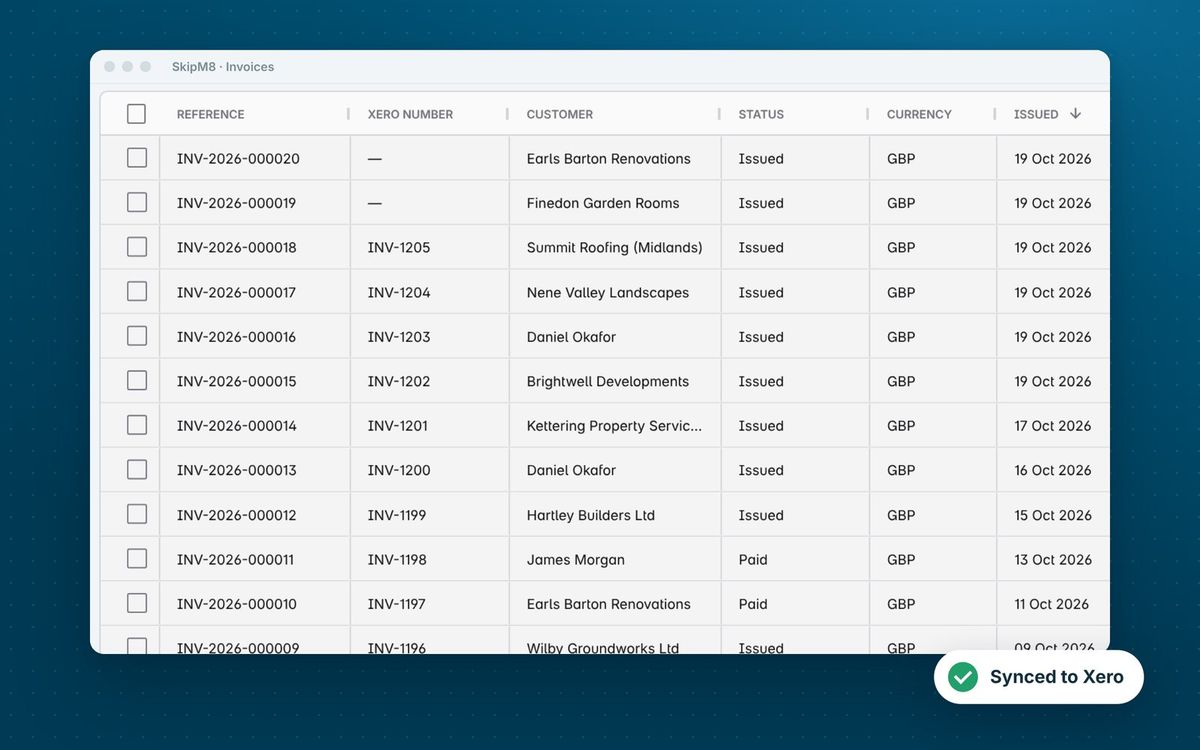
Each synced invoice shows its QuickBooks number in SkipM8. If your company has custom transaction numbers switched on in QuickBooks, SkipM8 sends its own invoice reference as the number instead.

The SkipM8 invoice list with an accounting number column beside each invoice reference

Everything QuickBooks needs, without the typing

  • Trace each invoice line back to the booking and job it bills.
  • Keep your customer's purchase order number on the invoice line.
  • Avoid setting up customers twice: they're found in QuickBooks or added the first time you invoice them.
  • See payments you record paid into the QuickBooks bank account you've mapped.
  • Have credit notes arrive as QuickBooks credit memos.
  • Have refunds arrive as QuickBooks refund receipts, paid from the bank account you've mapped.
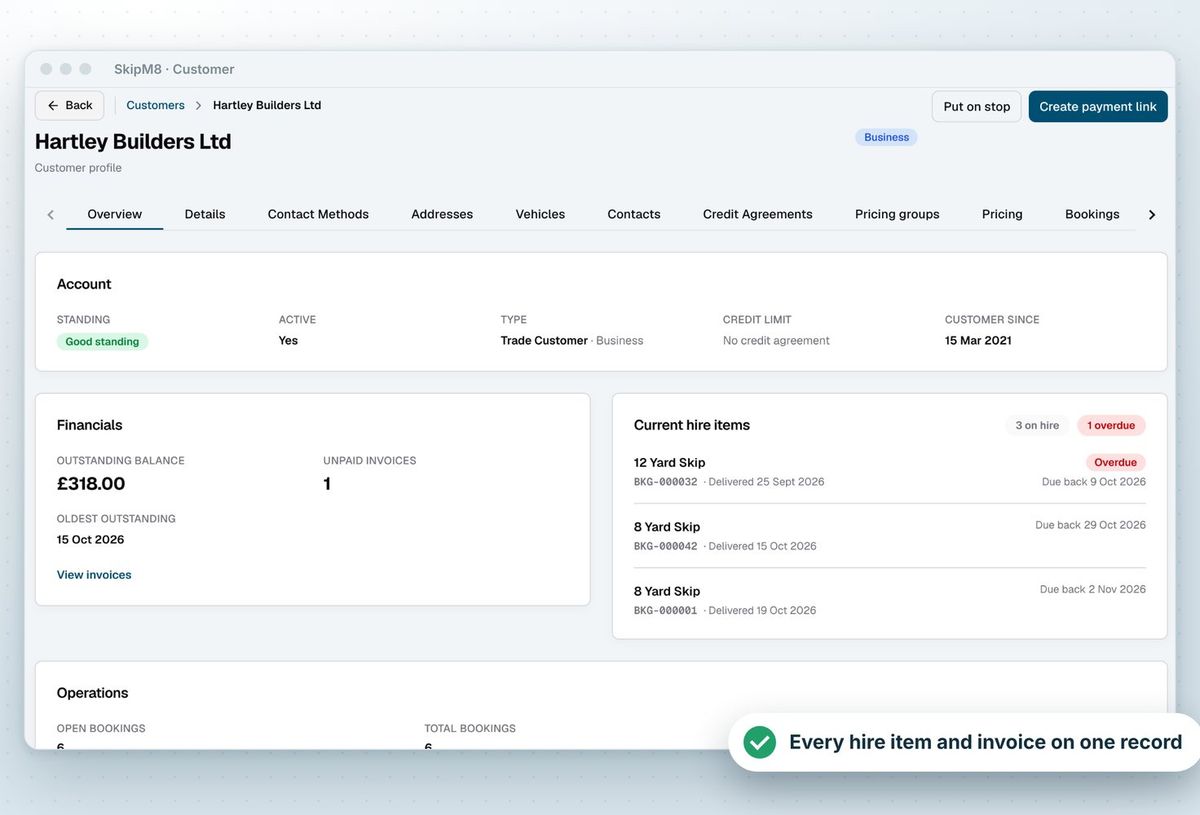
A SkipM8 customer page showing account standing, outstanding balance and current hire items

Set it up once and stop worrying about codes

In QuickBooks, every sales line belongs to a product or service, which carries the income account. On SkipM8's Accounting settings screen you pick a QuickBooks product or service for hire, service and surcharge lines from a list read from your company.

Then match each SkipM8 tax rate to a QuickBooks tax code, and your bank account to a QuickBooks bank account. Before an invoice is synced, SkipM8 checks every line has what QuickBooks needs and tells you what's missing, so problems surface before they reach your books.
How to connect QuickBooks

  1. Open Integrations in SkipM8 and choose Connect to QuickBooks.
  2. Sign in to QuickBooks and approve access to your company.
  3. Open Configure accounting and choose a product or service for each kind of line.
  4. Match your tax rates to QuickBooks tax codes and your bank account to a QuickBooks bank account.
  5. Sync your first issued invoice, or switch on automatic issuing and syncing.

Related features

Invoicing

Invoices from completed jobs, paid by card or synced

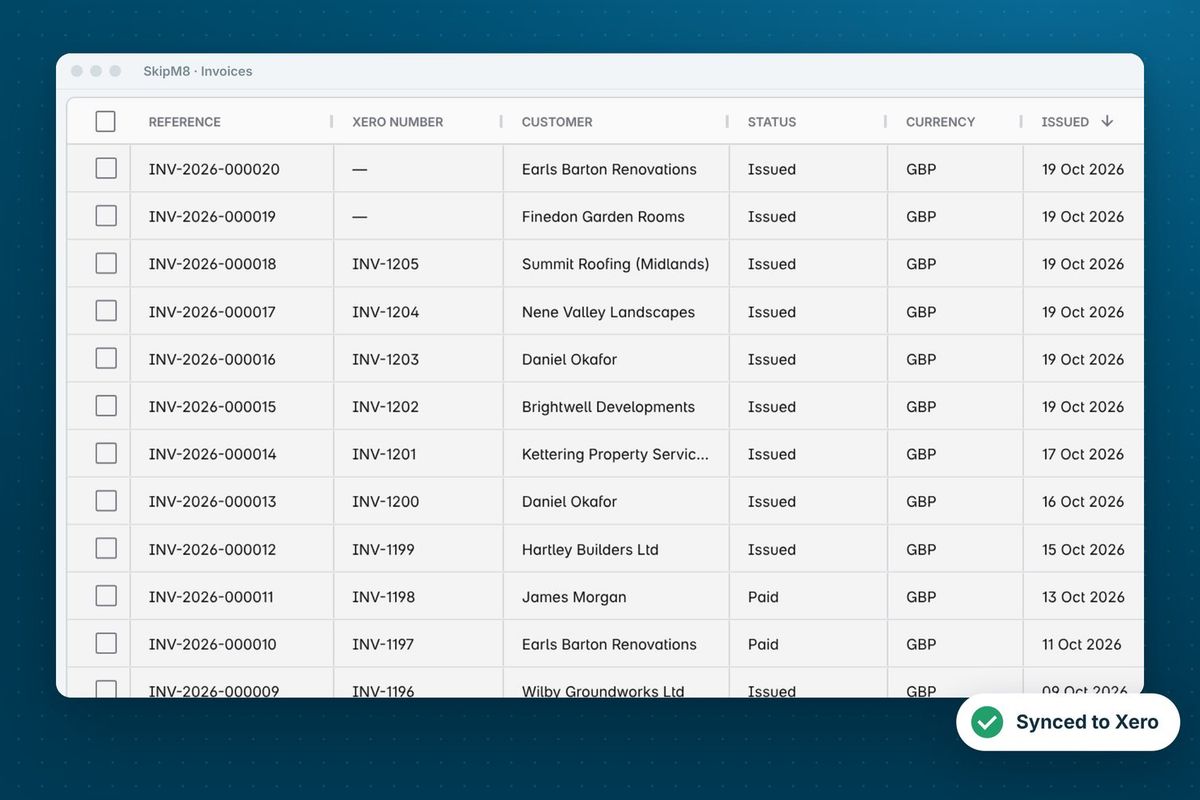
More on invoicingThe SkipM8 invoice list showing each invoice with its Xero number

Stripe

Card payment links for invoices

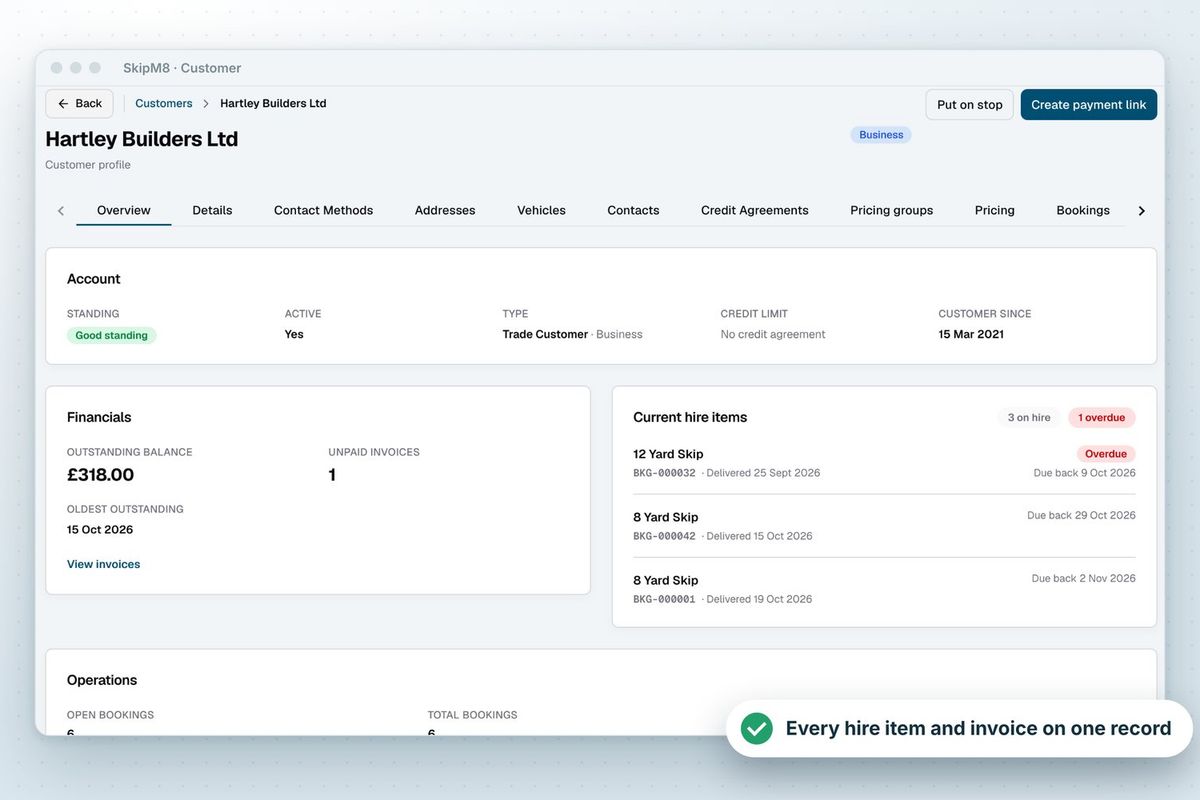
More on StripeA SkipM8 customer page showing the customer's outstanding balance and current hire items

Our growing customer base

Skip hire and waste businesses across the UK run their bookings, dispatch and paperwork on SkipM8.

QuickBooks questions

Why isn't my invoice in QuickBooks yet?

Issuing, emailing and syncing an invoice are separate steps in SkipM8. Sync it from the invoice page, tick several on the invoice list and sync them together, or switch on automatic issuing and syncing in your organisation settings.

What happens when a customer pays and we record it in QuickBooks?

QuickBooks tells SkipM8 about the payment and it is recorded on the matching SkipM8 invoice. If it clears the balance, the invoice is marked as paid.

I recorded a payment before syncing the invoice. Is it lost?

No. It waits and goes to QuickBooks as soon as the invoice is synced. Credit notes and refunds wait in the same way.

If I edit an invoice in QuickBooks, does SkipM8 change?

No. Only payments come back from QuickBooks. SkipM8 stays the record of what you billed.

Can I use SkipM8 without connecting QuickBooks?

Yes. You can export your invoices as a CSV in a QuickBooks layout and import it yourself. Each invoice is exported once, so nothing is imported twice.

Which plans include the QuickBooks connection?

The accounting integration is included on Pro and Enterprise, and on Grow with the accounting add-on for a monthly fee.

See SkipM8 in action

Book a demo and we'll walk you through it with jobs like yours, or start on the free Solo plan today.




