
Report to DEFRA without another login or a developer
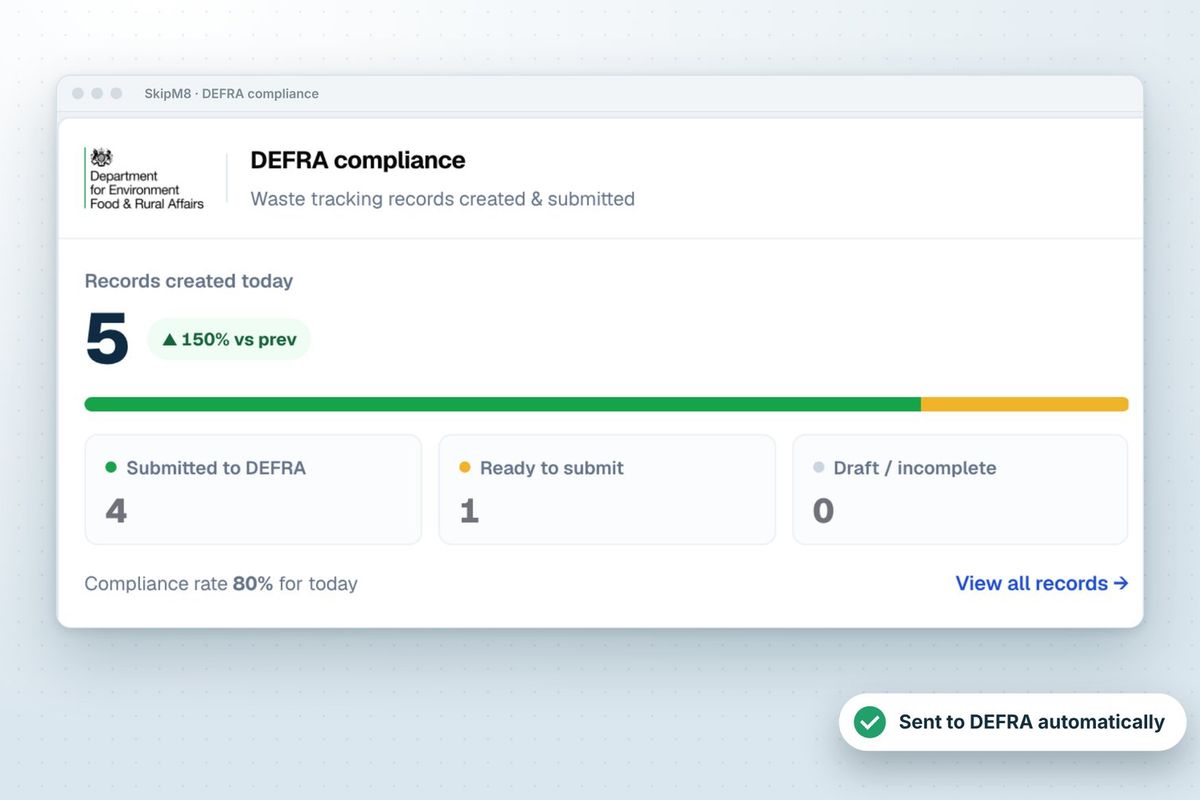
SkipM8 talks to DEFRA's Digital Waste Tracking Service itself. You don't need your own connection to DEFRA, a separate portal login for each load, or a developer to set anything up.
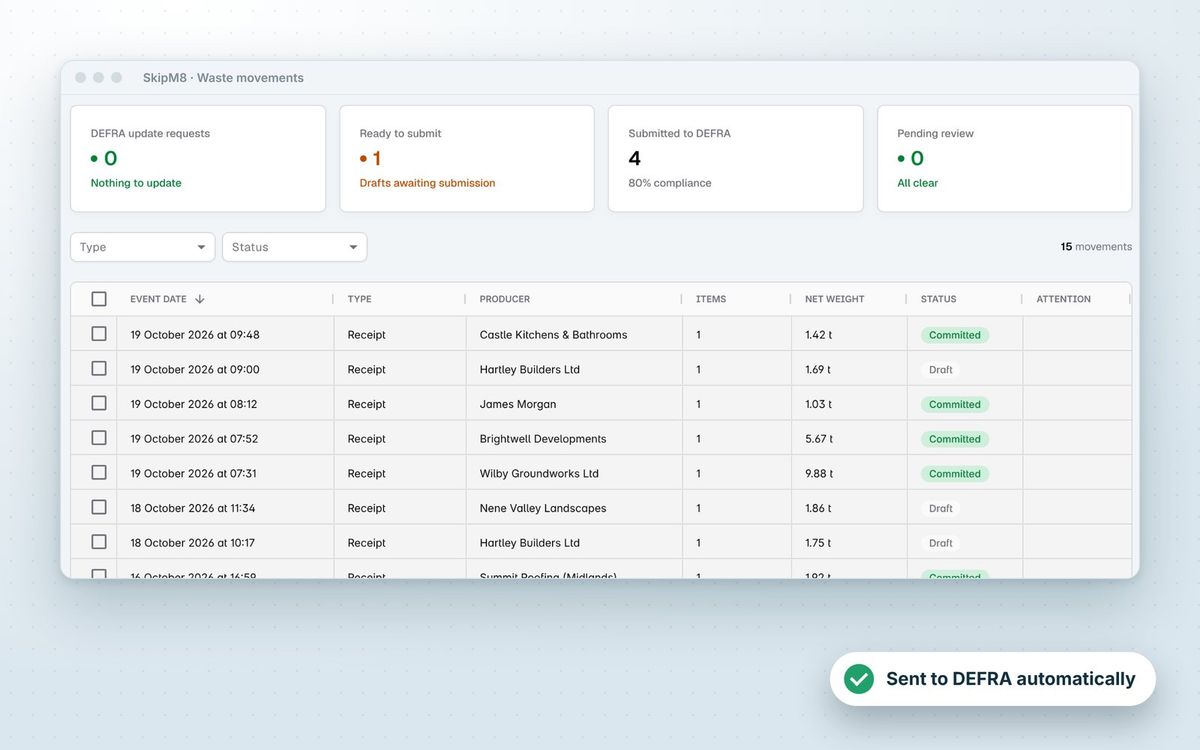
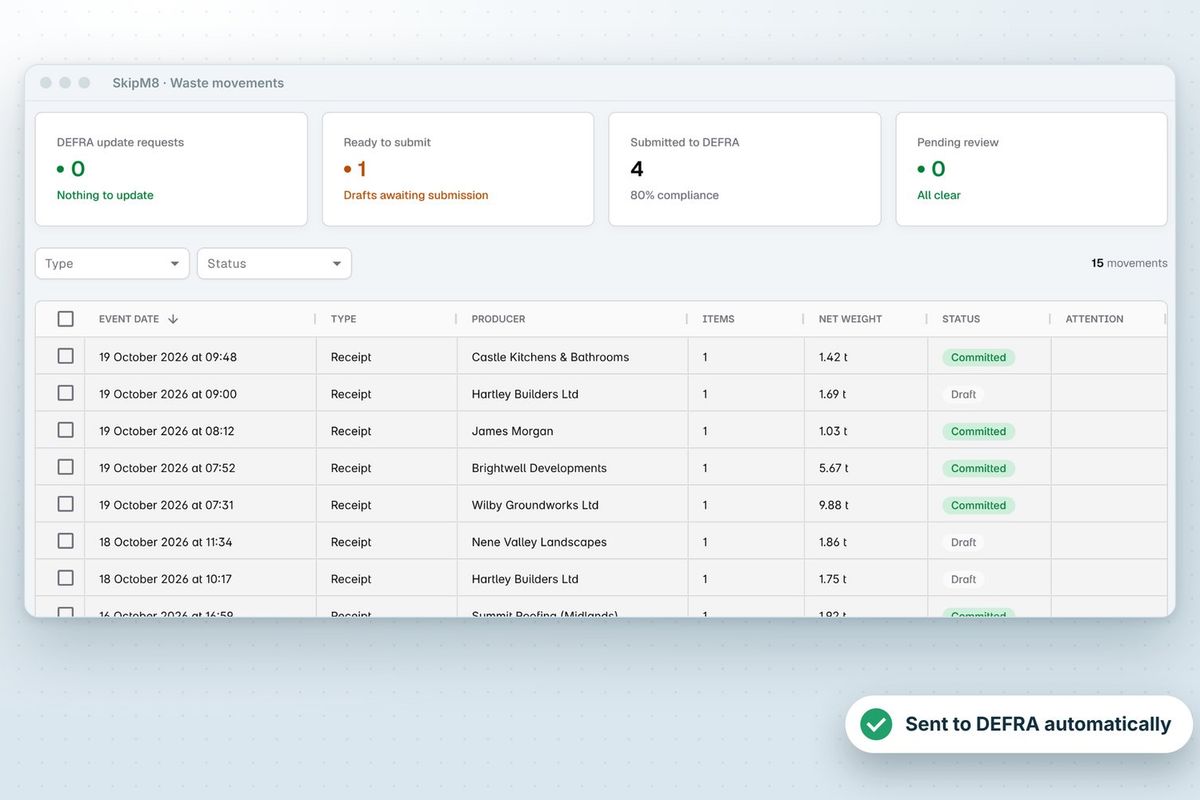
When waste comes back to one of your own permitted sites, SkipM8 builds a waste receipt from what your team has already recorded. Once it's complete, your office sends it to DEFRA with one click, or you can switch on automatic sending in your organisation settings.
DEFRA replies with a waste tracking ID for each receipt it accepts. SkipM8 keeps that ID on the record, so you can always match a load in SkipM8 to the same movement on DEFRA's service.
Know what's missing before anything goes to DEFRA
SkipM8 checks for these before anything's sent, and tells you exactly what's missing, so you're not caught out by a refusal.
- Enter your waste carrier licence once, in your organisation's settings.
- Add each receiving site's environmental permit or exemption number, and the UK nation it's in.
- Add the site's DEFRA API code, which DEFRA gives you when you register the site with its service.
- Use the registration of the vehicle that carried the load, taken from the job.
- Record the load's weights and its waste split by EWC code at your depot.
- See any receipt with something missing marked as needing attention, with a note of how to fix it.
How it works
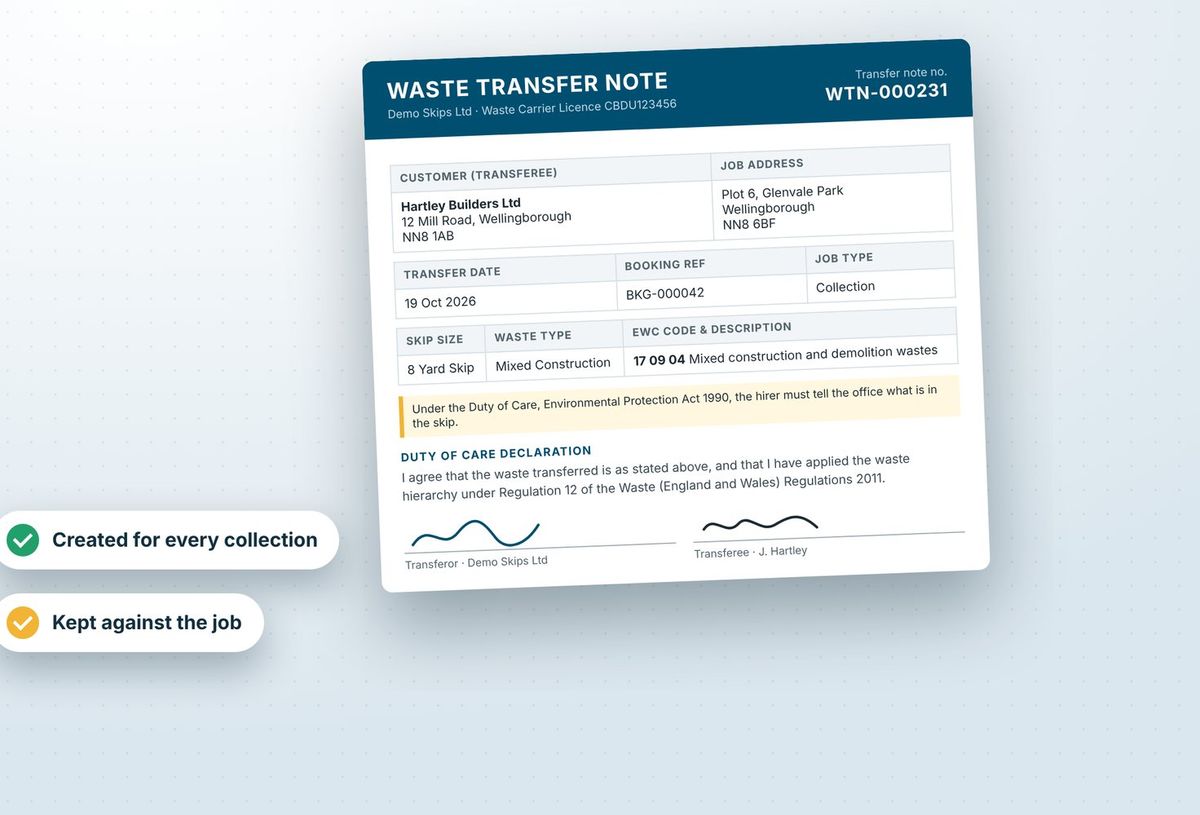
- A collection is completed, or a tipping load is confirmed, and the waste comes back to your own permitted site. SkipM8 creates a waste receipt for it.
- Your team records the weights and the waste breakdown. SkipM8 fills in the rest of the receipt from the booking, your customer records and your site settings.
- SkipM8 checks the receipt against DEFRA's rules. A complete receipt is ready to send.
- Your office sends it, one at a time or several together, or SkipM8 sends it automatically if you have switched that on.
- DEFRA accepts it and returns a waste tracking ID, or refuses it and SkipM8 shows you why so you can put it right and send it again.
Related features
Our growing customer base
Skip hire and waste businesses across the UK run their bookings, dispatch and paperwork on SkipM8.





Common questions
What happens if we correct a load after it has been sent?
Amend the weights or the waste breakdown in SkipM8 and the corrected receipt is sent to DEFRA again, under the same waste tracking ID. You don't have to re-enter anything on DEFRA's side.
Do we have to switch on automatic sending?
No. It is off unless you turn it on. With it off, your office checks each receipt and sends it themselves. With it on, each receipt is sent as soon as it is complete, and any DEFRA refuses stay in SkipM8 with the reason.
Does SkipM8 send anything other than waste receipts?
No. SkipM8 sends receipts for waste received at your own permitted sites. Waste you take to another facility, or send out, is recorded in SkipM8 but not sent to DEFRA.
How do we know if something is waiting to be sent?
Your dashboard counts receipts ready to send, receipts needing attention, receipts waiting more than 24 hours, and any DEFRA has asked you to change. Each count opens the matching list.
Which plans include it?
Sending waste receipts to DEFRA is on every plan. Tipping loads at your transfer station (Waste In) are on Grow and above.
See SkipM8 in action
Book a demo and we'll walk you through it with jobs like yours, or start on the free Solo plan today.